
Things I want to do
I tried out several methods for drawing borders in Blender.
boundary line
Scene’s Freestyle
Open the Scene settings and check the Freestyle option to display the borders.
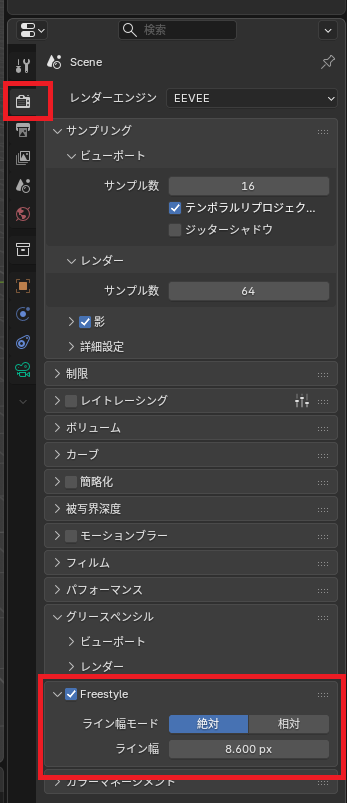
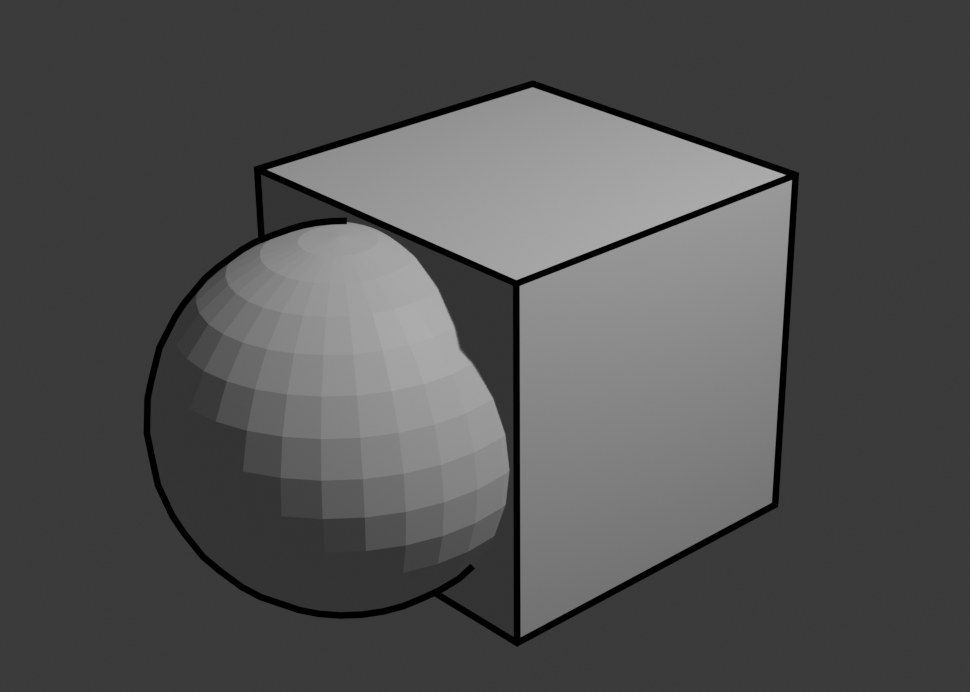
However, it is not displayed during editing; it is created and displayed as a post-processing step after rendering.
This is the simplest method, but you can’t change the color. (I feel like sometimes the desired lines aren’t created when dealing with complex shapes.)
Workbench Outline
When the render engine is set to Workbench, you can draw borders even with the ‘Outline’ setting.
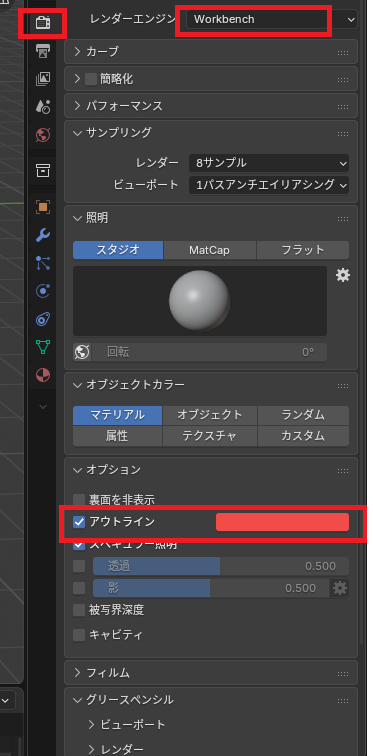
This is also not displayed during editing; it is created and displayed as a post-processing step after rendering.
You can change the color, but you cannot change the thickness. (I feel that sometimes the desired line is not created when working with complex shapes.) Also, it is Workbench-only, so its use is limited to certain situations.
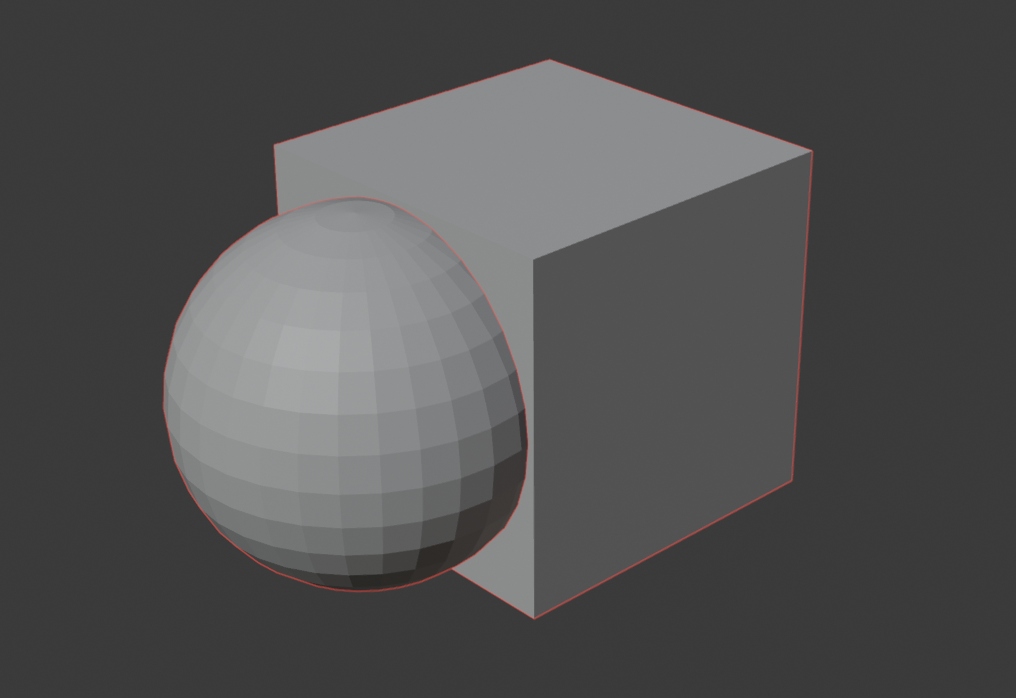
You can also see that the placement of the lines drawn is slightly different compared to when using Freestyle. (Where the sphere and cube collide)
Object Line Art
Select Add → Grease Pencil → Object Line Art.
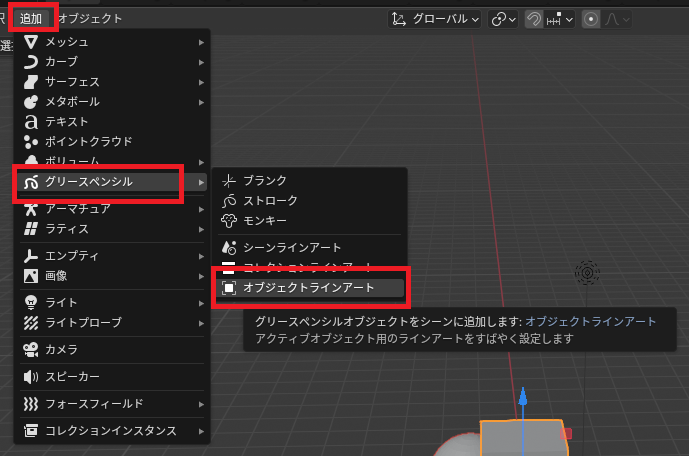
A LineArt image will be created; select it and open the settings.
Change the line radius value and verify that the border appears in the View. (The line radius value varies greatly depending on the Blender version. The example below is for version 5.01.)
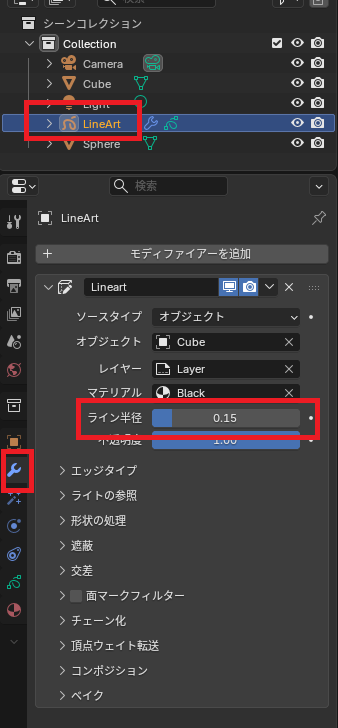
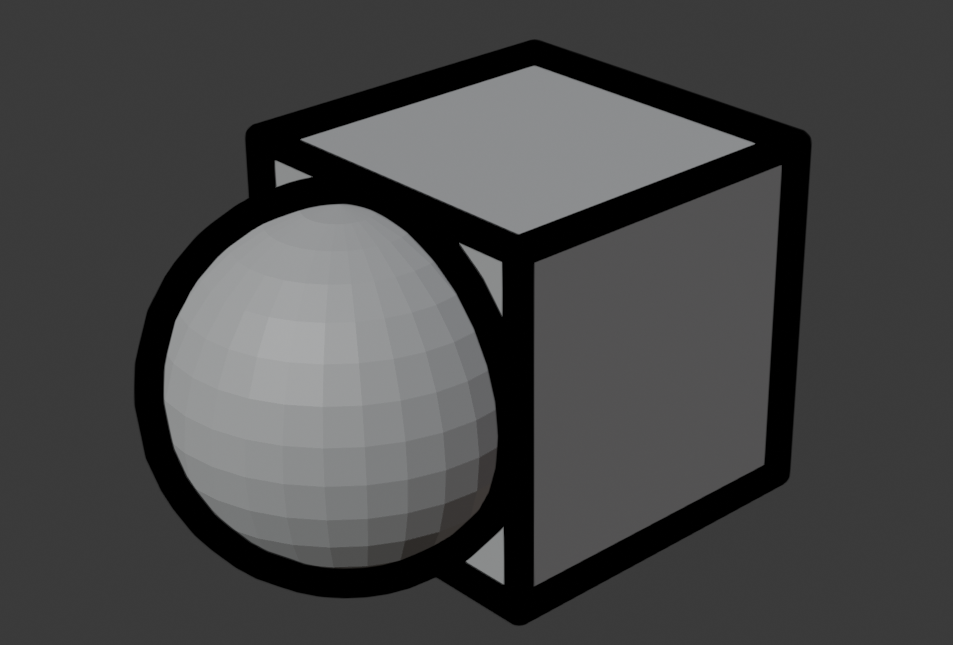
setting
Subject of the boundary
By default, objects are the target, but you can also create LineArt for each object.
It is also possible to set source types in a collection and configure them all at once.
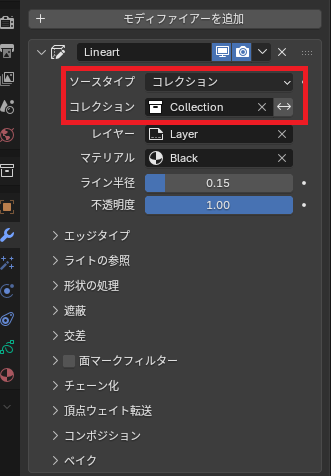
Color settings
The color settings are changed using the base color of the material.
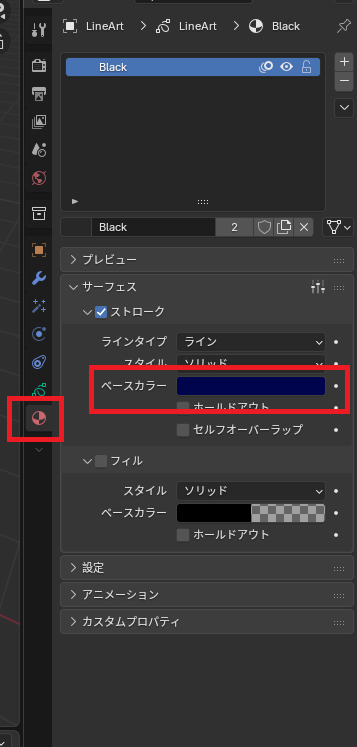
Points to note
Object line art creates line models based on the active camera.
Therefore, if the camera angle and the editing screen angle are different, the boundary lines may appear to be displayed incorrectly.
(It’s best to hide it while editing, as it can be confusing.)
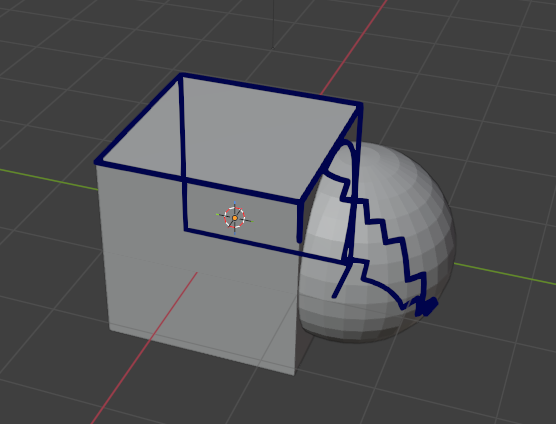
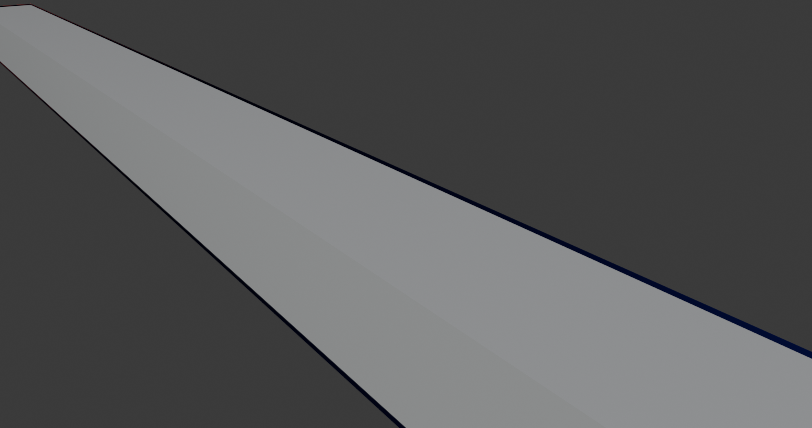
Furthermore, this boundary line is not a line created in post-processing, but a model with a defined size.
Therefore, those that are close become thicker, and those that are far away become thinner.
Websites I used as references


コメント