
Things I want to do
Run LLM (Chat AI) locally using llama.cpp.
This article uses gemma, Google’s local model.
It can run on AMD GPUs as well as on systems without a GPU (CPU).
environment setup
llama.cpp
Download the appropriate Zip file for your environment from the following page.
If you want to run it on Windows with an AMD GPU (or a system without a GPU), you can use the Vulkan package.
When using an Nvidia GPU, it will work with the CUDA package.
If it doesn’t work with the above version, use the CPU-optimized package.
Once you’ve extracted the downloaded file to a folder of your choice, you’re ready to go.
Model
Please download one of the models from the following page.
gemma-2-2b-jpn is a model specifically designed for the Japanese language.
gemma-2-9b is a smarter model than gemma-2-2b-jpn.
The linked page contains files with names like Q4 and Q8; the higher the number after Q, the smarter the model.
Generally, smarter models have larger file sizes and take longer to respond.
(There’s also an even smarter model called the Gemma-2-27B.)
Please select a model that suits your usage environment. (The 2B is for smartphones and low-spec PCs, the 9B is for moderately powerful PCs, and the 27B is for very powerful PCs.)
execution
Run at the prompt
Execute the following command in the command prompt.
Model pathReplace with the path to the downloaded model.
llama-cli.exe -m Model path
Once the model has finished loading, the following screen will be displayed.
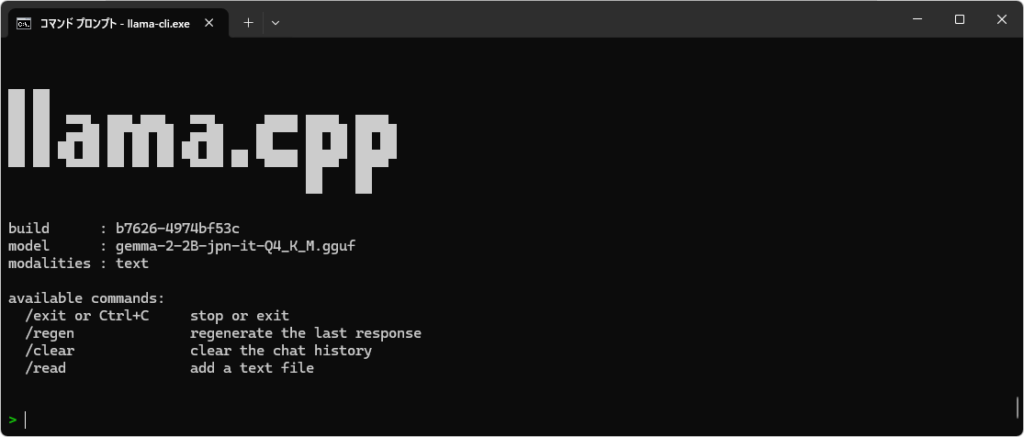
Once the screen shown above appears, you can start chatting. Japanese input is also possible.
Using gemma-2-2B-jpn-it-Q4_K_M.gguf on my system (Ryzen 7 7735HS with Radeon Graphics + 32GB RAM), I received a response almost instantly.
end
You can exit by typing /exit or by pressing Ctrl+C.
Run on the server
Execute the following command in the command prompt.
Model pathReplace with the path to the downloaded model.
llama-server -m Model path --port 8080
Once the model has finished loading, it will be displayed as follows:
main: model loaded
main: server is listening on http://127.0.0.1:8080
main: starting the main loop...
srv  update_slots: all slots are idle
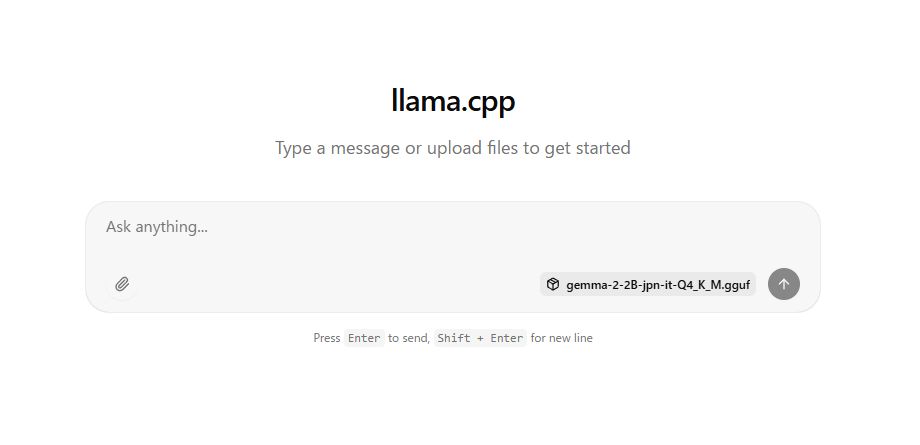
If the above message appears, open http://127.0.0.1:8080/ in a browser such as Chrome.
The following will be displayed, allowing you to chat.
Unlike Gamini, Gemma cannot accept image input.
Furthermore, image output is not possible.
end
You can exit the server by pressing Ctrl+C at the prompt where the server was started.
Access from other devices (PC or smartphone)
If you execute the command above, it will not be accessible from other devices.
If you want to access it from another device, add the following argument when starting it up. (Please note that when accessing, you will need to find the server’s IP address and replace 127.0.0.1 in http://127.0.0.1:8080 with the IP address.)
--host 0.0.0.0
Please take sufficient security precautions.

コメント