
Notice
This article describes how to use Stable Diffusion on AMD GPUs using Stable Diffusion amdgpu, but we recommend using Stable Diffusion Forge, as described in the article below.

Things I want to do
Stable Diffusion typically requires an Nvidia GPU (such as GeForce).
The previous page showed how to create an environment that runs on a CPU, but this article will show how to create an environment that runs on an AMD GPU.
Even with an onboard GPU, creation time has been reduced.
Environment setup
Install Python and Git.
For details, please refer to the environment setup section in the following article.
stable-diffusion-webui-amdgpu
Clone
Get stable-diffusion-webui-amdgpu.
Create a folder to install stable-diffusion-webui-amdgpu.
Open the command prompt, create the folder, and execute the following command.
git clone https://github.com/lshqqytiger/stable-diffusion-webui-directmlIf the process is complete and the files have been created in the installation folder, it was successful.
Execute webui-user.bat
A file named webui-user.bat will be created in the installation folder; run it by double-clicking it in File Explorer.
If the following error appears immediately after execution (processing will continue), execute the git config~ command that is displayed.

The process will likely terminate with the following error.

After confirming the above error, open the command prompt, navigate to the installation folder, and then execute the following command.
cd venv\Scripts
activate.bat
Executing the above command will add ‘(venv)’ to the beginning of your command prompt.
pip install torch_directmlPlease do not close the command prompt where you executed the above command, as you may need to use it again.
After the command processing is complete, open webui-user.bat and change the COMMANDLINE_ARGS line as follows. (These are the arguments that use the environment configured after activate.bat.)
set COMMANDLINE_ARGS=--use-directmlRun webui-user.bat from Explorer.
If prompted to run `git config~` at runtime, execute the specified command, then run `webui-user.bat` again from Explorer. (Repeat this several times.)

If the above error is displayedIn the command prompt where you ran activate.batExecute the following command:
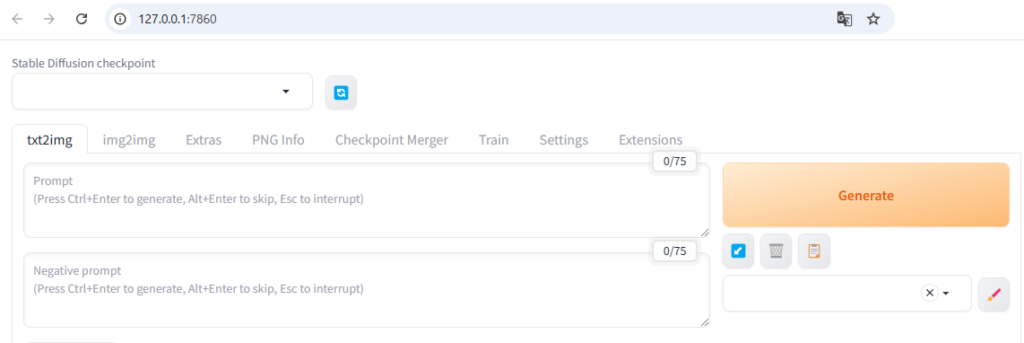
pip install gradioThe process is complete when the GUI is displayed in your browser as shown below.
Handling runtime errors
RuntimeError: Input type (float) and bias type (struct c10::Half) should be the same
If you encounter the error ‘RuntimeError: Input type (float) and bias type (struct c10::Half) should be the same’ during execution, open the webui-user.bat file and modify COMMANDLINE_ARGS as follows: (Add –no-half)
set COMMANDLINE_ARGS=--use-directml --no-halfAfter making the corrections, run webui-user.bat again.
Insufficient memory
If you encounter a memory (VRAM) shortage error, open the webui-user.bat file and modify COMMANDLINE_ARGS as follows: (Add –medvram)
set COMMANDLINE_ARGS=--use-directml --no-half --medvram–Runtime errors after changing medvram
–If you encounter a runtime error after changing medvram, open the webui-user.bat file and modify COMMANDLINE_ARGS as follows: (Change –medvram to –lowvram)
set COMMANDLINE_ARGS=--use-directml --no-half --medvramResult
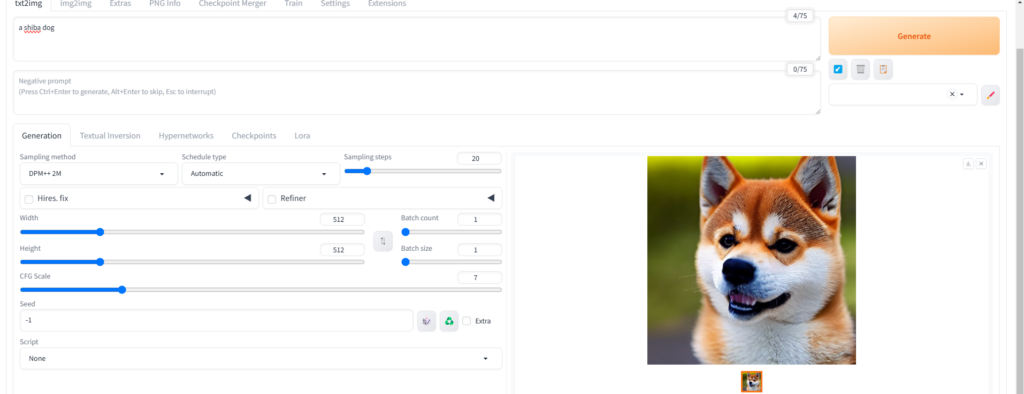
I was able to create the image by entering the prompts in the displayed GUI and clicking Generate.
The image creation times when run on a CPU are as follows:
* When running on a GPU, COMMANDLINE_ARGS is set to –use-directml –no-half –opt-sub-quad-attention –upcast-sampling –lowvram for optimization.
| Creation time | |
| CPU | 04:22 |
| GPU (This article) | 01:03 |
Even on PCs with onboard VRAM (2GB), it’s now about four times faster than running it on the CPU.
コメント