
Notice
This article describes how to use Stable Diffusion Direct ML without a GPU, but we recommend using Stable Diffusion Forge, as described in the article below.

Things I want to do
Stable Diffusion typically requires an Nvidia GPU (such as GeForce).
This guide explains how to run Stable Diffusion using only the CPU on a PC without an NVidia GPU.
Environment setup
Installing Python
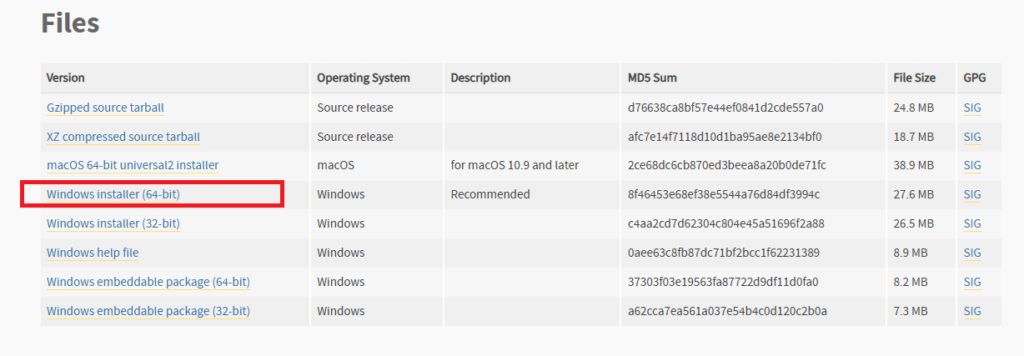
Download and install Python 3.10.6 from the following page.

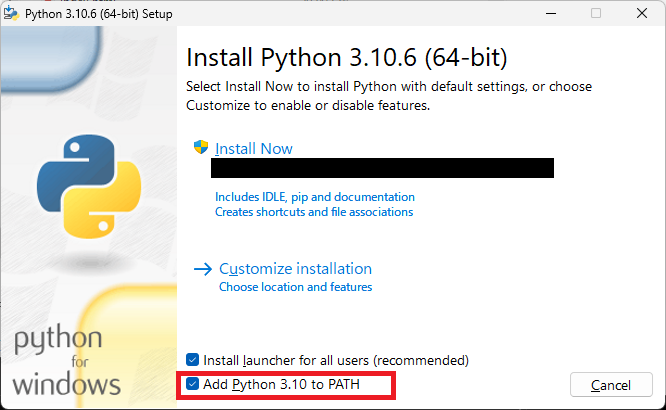
During installation, make sure to check the box for ‘Add Python 3.10 to PATH’.
Installation Verification
Open Command Prompt and execute the following command.
python3 –versionIf it runs correctly, it’s a success. (In my environment, it displayed ‘Python.’)
The Python version is fixed.
3.10.6 was the version specified when the article was created.
Please refer to the following page for details.
Installing Git
Download and install Git from the following page.

Installation Verification
Open Command Prompt and execute the following command.
gitIf executed correctly, it will be successful. (Help will be displayed.)
stable-diffusion-webui-directml
Clone
Get stable-diffusion-webui-directml.
Create a folder to install stable-diffusion-webui-directml.
Open the command prompt, create the folder, and execute the following command.
git clone https://github.com/lshqqytiger/stable-diffusion-webui-directmlIf the process is complete and the files have been created in the installation folder, it was successful.
Execute webui-user.bat
A file named webui-user.bat will be created in the installation folder; run it by double-clicking it in File Explorer.
If the following error appears immediately after execution (processing will continue), execute the git config~ command that is displayed.

The process will likely terminate with the following error.

If an error is displayed, open webui-user.bat with a text editor such as Notepad and change the COMMANDLINE_ARGS line as follows:
set COMMANDLINE_ARGS=--skip-torch-cuda-testSave the above changes and run webui-user.bat again from Explorer.
If prompted to run `git config~` at runtime, execute the specified command, then run `webui-user.bat` again from Explorer. (Repeat this several times.)

If you see the above error, open a new command prompt and run the following command.
pip install gradioUsing an already open command prompt may result in environment variables not being updated, so it’s safer to open a new one.
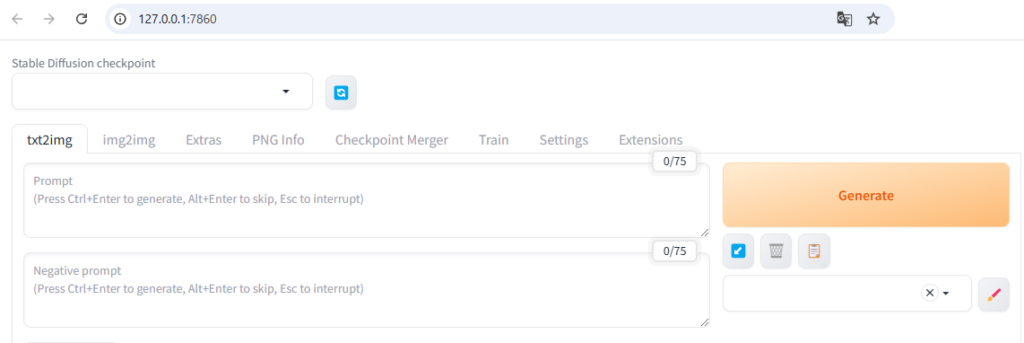
The process is complete when the GUI is displayed in your browser as shown below.
Handling runtime errors
If you encounter the error ‘RuntimeError: Input type (float) and bias type (struct c10::Half) should be the same’ during execution, open the webui-user.bat file and modify COMMANDLINE_ARGS as follows: (Add –no-half)
set COMMANDLINE_ARGS=--skip-torch-cuda-test --no-halfAfter making the corrections, run webui-user.bat again.
Result
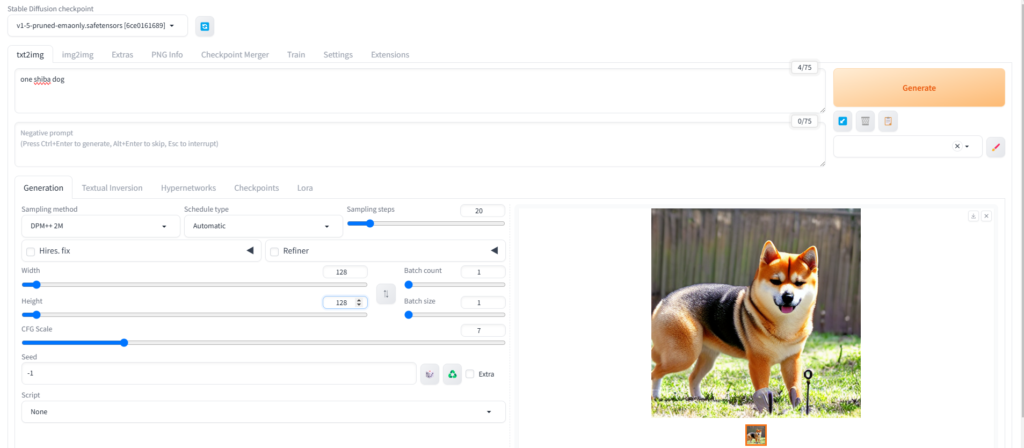
I was able to create the image by entering the prompts in the displayed GUI and clicking Generate.
Websites I used as references

コメント