
Things I want to do
In Phaser3, you can register click events to a GameObject and use it as a button.
However, with GameObjects, it’s difficult to create elaborate buttons other than using images with simple shapes like rectangles and circles.
Here, we’ll use the DOM object to create a sophisticated button.
How to create
The method for creating DOM objects was explained in the following article.

Based on the article, I created the following function.
export function createBtn(scene, x, y, text, font_size, color, callback){
    let el = document.createElement('div');
    el.innerHTML = text
    el.onclick =callback;
    let style = "font: ' + font_size + 'px Arial;color:' + color + ';border-color:' + color + ';border:solid; ";// you should add button style
    let btn = scene.add.dom(x, y, el, style);

    return btn;
}
The `style` variable is used to set the style of the button.
I added border-radius and user-select.
In particular, it’s safer to set `user-select` to `none`, because if you don’t, the text inside can be selected by dragging.
call
The above function is called from within the Scene class as follows:
let x = 100;
let y = 200;
let html = "BUT<i>TON</i>"
let font_size = 10;
let color  =  "#000000" ;
let func = () =>{alert()};
createRadiusBtn(this, x, y, html ,font_size , color ,func )
HTML can also contain other tags, as shown in the example. Line breaks can also be created using tags like
.
Result
I was able to create an elaborate button without using any images.
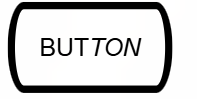
The displayed text is ‘BUTTON‘.
コメント