
Things I want to do
You may encounter the following error when trying to import another sif file into Synfig Studio and then edit objects within that file, preventing you from editing them.
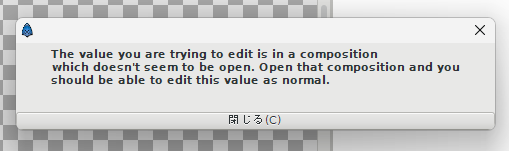
The value you are trying to edit is in a composition
which doesnt seem to be open. Open that composition and you
should be able to edit this value as normal.
This article will explain how to deal with this problem if it occurs.
Embedding layers
After importing the sif file into Synfig Studio, right-click the imported sif file in the layer list.
The imported sif file will have its file path displayed in the layer list as shown below.

Select ‘Embed Layer’ from the displayed menu.
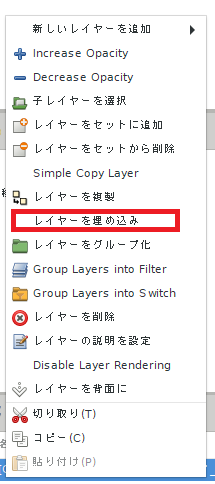
The layer list will now display the layer name without the extension, rather than the full file path.
(If the file name is ‘filename.sif’, it will become a layer named ‘filename’.)
Objects converted using the method described above can then be edited and keyframed.
What’s happening?
The reason you can’t edit immediately after importing is because the imported file is being read as a link.
By following these steps, the imported file will be incorporated into the file you are currently editing, making it editable. (However, this will increase the size of your working file.)
Result
You can now edit imported sif files.
others
While it is possible to edit imported sif files by displaying them in a separate tab in Synfig Studio, there are many limitations, such as the edited parts affecting the original file, so I think the method I introduced here is better.

コメント