
Things I want to do
This site has primarily focused on introducing Threejs using modules, but now, rather belatedly, let’s review the differences between non-module scripts and module scripts.
The Threejs Example/js folder has been removed (unless I’m mistaken), and Loaders and Extensions can no longer be used unless they are modules. Modularization will likely become almost essential going forward.
Environment
Threejs: r150
Preparing to run the module
Make it possible to load modules.
Type uses the module’s JavaScript. For local use, Chrome needs to be launched in a special way; a standard Chrome instance cannot load the module’s JavaScript.
Add the following argument when launching Chrome:
--allow-file-access-from-filesIt’s convenient to either create a Chrome shortcut and add the above arguments to the end of the link, or create a batch file.
When launching Chrome using the method described above, you must have all Chrome windows closed.
Non-module code
HTML
<!DOCTYPE html>
<html lang="en">
<head>
<meta charset="utf-8">

</head>
<body>
    <canvas id="canvas1" width=600 height=600></canvas>
    <script src ="./js/libs/three.min.js"></script>
    <script src ="./js/libs/3d.js"></script>
</body>
</html>
JavaScript
3d.js
let renderer;
let scene;
let camera;

scene = new THREE.Scene();
const canvas = document.querySelector("#canvas1");
renderer = new THREE.WebGLRenderer({ canvas: canvas });

const width = canvas.width;
const height = canvas.height;
renderer.setSize(width, height);

setupCamera();
setupObject(scene);
setupLights(scene);

function setupCamera() {
	const canvas = document.querySelector("#canvas1");
	const width = canvas.width;
	const height = canvas.height;

	camera = new THREE.PerspectiveCamera(45, width / height, 0.1, 3000);
	camera.position.set(0, 10, 0);
	camera.lookAt(new THREE.Vector3(0, 0, 0));
}

function render() {
	renderer.render(scene, camera);
}

function setupLights(scene) {
	const light = new THREE.DirectionalLight(0xFFFFFF);
	light.intensity = 1;
	light.position.set(10, 20, -20);
	scene.add(light);
}

function setupObject(scene) {
	const geometry = new THREE.SphereGeometry(2, 32, 32);
	const material = new THREE.MeshStandardMaterial({ color: 0xffff00 });
	const sphere = new THREE.Mesh(geometry, material);
	scene.add(sphere);
	requestAnimationFrame(render);
}Module code
HTML
<!DOCTYPE html>
<html lang="en">
<head>
<meta charset="utf-8">

</head>
<body>
    <canvas id="canvas1" width=600 height=600></canvas>
    <script type="importmap">{"imports": {"three": "./js/libs/three.module.js"}}</script>
    <script type="module" src="./js/libs/3d.js"></script>
</body>
</html>
JavaScript
3d.js
import * as THREE from 'three';

let renderer;
let scene;
let camera;

scene = new THREE.Scene();
const canvas = document.querySelector("#canvas1");
renderer = new THREE.WebGLRenderer({ canvas: canvas });

const width = canvas.width;
const height = canvas.height;
renderer.setSize(width, height);

setupCamera();
setupObject(scene);
setupLights(scene);

function setupCamera() {
	const canvas = document.querySelector("#canvas1");
	const width = canvas.width;
	const height = canvas.height;

	camera = new THREE.PerspectiveCamera(45, width / height, 0.1, 3000);
	camera.position.set(0, 10, 0);
	camera.lookAt(new THREE.Vector3(0, 0, 0));
}

function render() {
	renderer.render(scene, camera);
}

function setupLights(scene) {
	const light = new THREE.DirectionalLight(0xFFFFFF);
	light.intensity = 1;
	light.position.set(10, 20, -20);
	scene.add(light);
}

function setupObject(scene) {
	const geometry = new THREE.SphereGeometry(2, 32, 32);
	const material = new THREE.MeshStandardMaterial({ color: 0xffff00 });
	const sphere = new THREE.Mesh(geometry, material);
	scene.add(sphere);
	requestAnimationFrame(render);
}Differences
HTML
Non-module
    <script src ="./js/libs/three.min.js"></script>
    <script src ="./js/libs/3d.js"></script>
module
    <script type="importmap">{"imports": {"three": "./js/libs/three.module.js"}}</script>
    <script type="module" src="./js/libs/3d.js"></script>
For non-module implementations, load three.min.js (or three.js) in your HTML.
The module requires specifying an importmap. (The first line above). ‘./js/libs/three.module.js’ should be changed depending on your environment.
Set the Type of the Javascript you are creating to ‘module’.
JavaScript
The module requires the following line:
import * as THREE from 'three';There are no other differences.
In this example, the Threejs class is loaded in the namespace THREE, so no modifications other than importing are necessary. However, depending on how you write the import statement, you may need to change the namespace.
Result
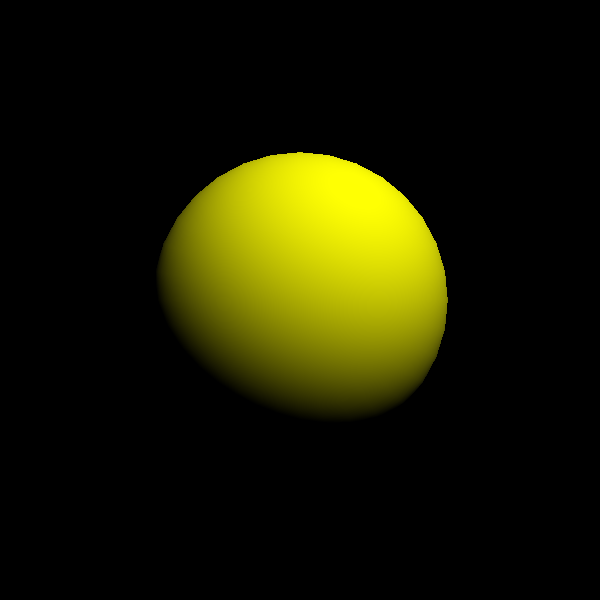
In the example above, yellow spheres are displayed for both modules and non-modules.

コメント