
Coisas que eu quero fazer
No Phaser3, você pode registrar eventos de clique em um GameObject e usá-lo como um botão.
No entanto, com GameObjects, é difícil criar botões elaborados, a não ser usando imagens com formas simples como retângulos e círculos.
Aqui, usaremos o objeto gráfico para criar um botão elaborado (excessivamente arredondado).
código
Criei a seguinte função.
function createRoundedRectangle(scene, x, y, width, height, radius, fill, stroke, strokeThickness) {
    const graphics = scene.add.graphics();

    graphics.fillStyle(fill);
    graphics.lineStyle(strokeThickness, stroke);

    graphics.beginPath();
    graphics.moveTo(x + radius, y);
    graphics.lineTo(x + width - radius, y);
    graphics.arc(x + width - radius, y + radius, radius, Math.PI * 1.5, 0, false);
    graphics.lineTo(x + width, y + height - radius);
    graphics.arc(x + width - radius, y + height - radius, radius, 0, Math.PI * 0.5, false);
    graphics.lineTo(x + radius, y + height);
    graphics.arc(x + radius, y + height - radius, radius, Math.PI * 0.5, Math.PI, false);
    graphics.lineTo(x, y + radius);
    graphics.arc(x + radius, y + radius, radius, Math.PI, Math.PI * 1.5, false);
    graphics.closePath();
    graphics.fillPath();
    graphics.strokePath();


    graphics.setInteractive(new Phaser.Geom.Rectangle(x, y, width, height), Phaser.Geom.Rectangle.Contains);
    return graphics;
  }
Observe que chamar graphics.setInteractive sem argumentos, como você faria com outros objetos, não funcionará.
chamar
A função acima é chamada de dentro da classe Scene da seguinte forma:
let x = 100;
let y = 200;
let font_size = 10;
let fill_color  =  0xffffff ;
let stroke_color = 0x000000;
let strokeThickness = 3;
let func = () =>{alert()};

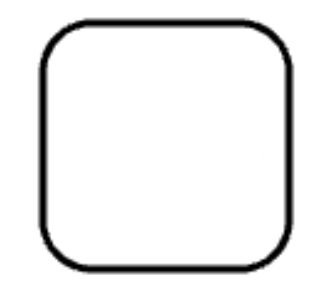
createRoundedRectangle(this, x, y, width, height, radius, fill_color, stroke_color, strokeThickness).on('pointerup', func);Resultado
Consegui criar um botão elaborado sem usar nenhuma imagem.
No entanto, essa função não exibe strings, portanto, se você quiser exibir texto, precisará fazê-lo separadamente.

コメント