
Things I want to do
To easily perform anime-style rendering (toon rendering, Celtic rendering) in Blender, you need to create nodes and apply them to all materials. In most cases, transforming an already modeled model into an anime style is quite time-consuming.
This article will show you how to perform anime-style rendering using an external application (Metasequoia (free version)).
If my memory serves me correctly, the free version of Metasequoia didn’t support anime-style rendering, but it does in the latest version (4.9.0f) at the time of writing this article.
Prepare
Model
This article assumes that the model has already been created in Blender.
Installing Metasequoia
Download and install Metasequoia from the following page.

Saving and loading models
Save (Blender)
Load the target model, then go to File → Export → and save it as glTF 2.0.
The default save settings are fine.
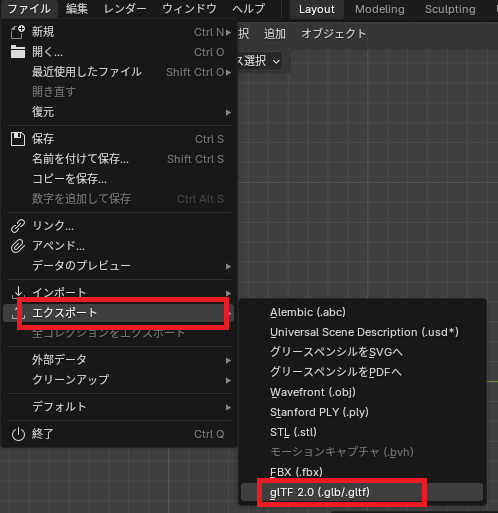
While STL files can be imported into Metasequoia, it seems that object groups cannot be imported, so exporting as glTF is recommended.
Loading (Metasequoia)
You can load the exported glTF file by launching Metasequoia and dragging and dropping it.
Preparing for rendering
camera
Unlike Blender, Metasequoia does not have a camera object; rendering is done based on the settings displayed in the GUI.
Therefore, you will need to readjust the display settings after importing.
To configure the settings, go to the gear icon at the top of the screen, then to the viewpoint panel, and display the viewpoint settings dialog.
You can set the camera’s position, angle, etc. To use parallel projection, select ‘Zoom’ in the field of view tab and set the depth slider to the far right.
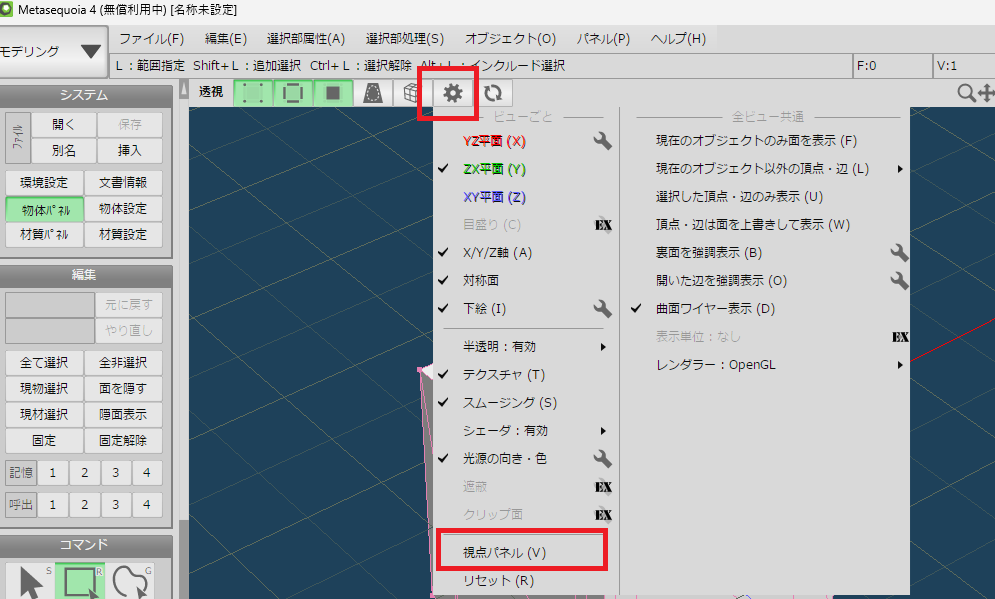
Show/hide objects
To show or hide objects, switch to modeling mode and click on the Objects panel in the System menu to display a dialog box.
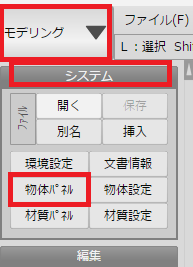
rendering
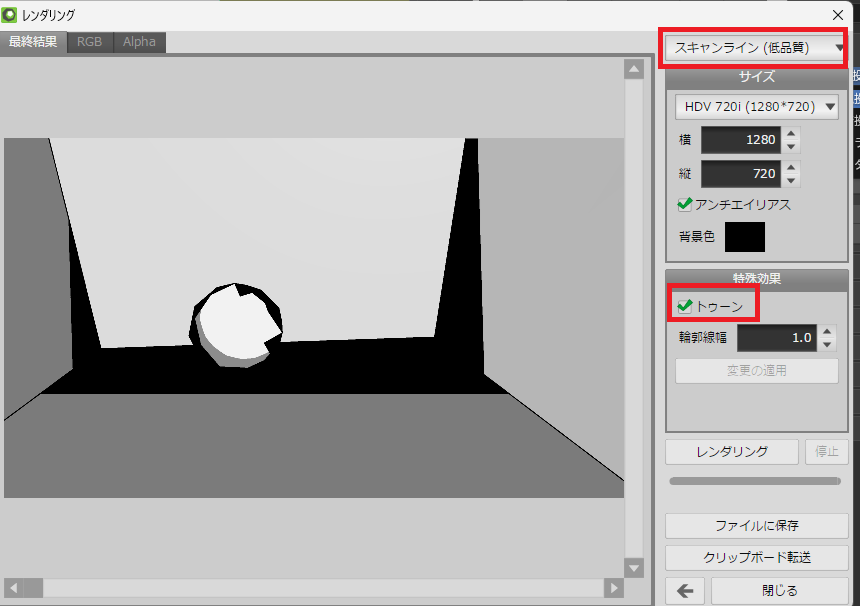
To render, select Render from the File menu to display the Render dialog box.
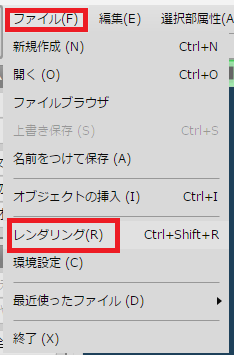
Change the renderer in the displayed dialog to either ‘Scanline’ or ‘Raytracing’.
By checking the ‘Toon’ option under Special Effects and clicking Render, I was able to achieve an anime-style rendering as shown below.

コメント