
Things I want to do
StableDiffusion uses AUTOMATIC1111 and anytest in Forge.
We have also confirmed that it works in the AMD GPU (DirectML) environment built in the following article.

What is anytest?
anytest is a ControlNet model that can generate images from line drawings and silhouettes, and even redraw parts of images, all within a single model.
How to install anytest
Please note that the installation method differs between AUTOMATIC1111 and Forge.
Installing BarNet
AUTOMATIC1111
Open the ‘install from URL’ tab within the Extension tab.
Enter the following URL in the git repository field for the extension and click install.
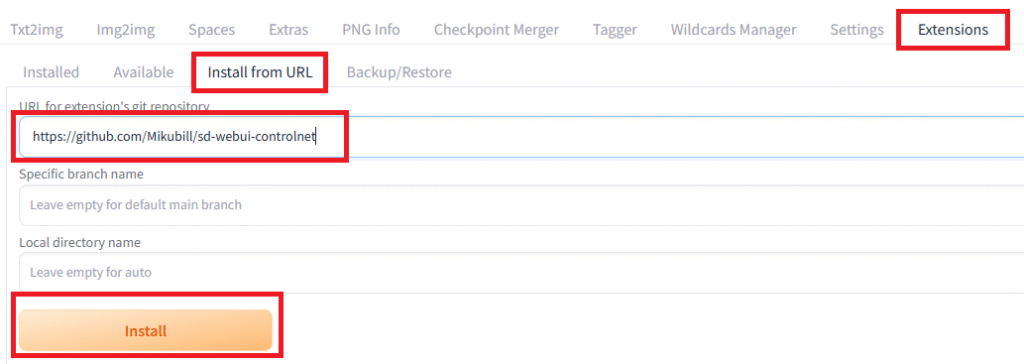
If the extension installation fails, please refer to the following page.
Once the installation is complete, restart StableDiffusion.
Installation and the initial startup after installation can sometimes take a very long time.
If the installation is successful, the ControlNet GUI will appear under Seed after restarting.
In my environment, the ControlNet GUI did not appear after restarting.
It appeared after I restarted it again.
Forge
Forge already includes ControlNet, so no installation is required.
Download the model
The model can be downloaded from the following page.
The file CN-anytest_v4-marged.safetensors seems to be the safest choice.

Model Installation
AUTOMATIC1111
Place the downloaded model in the following folder.
root\extensions\sd-webui-controlnet\models
Forge
Place the downloaded model in the following folder.
Root \\models\ControlNet
The installation is now complete.
Using ControlNet
I will explain using the Forge GUI.
Select the StableDiffusionXL model (checkpoint).
For Forge, the UI should also be in XL format. (If image generation fails, try using SD format.)

Most StableDiffusionXL models have ‘XL’ in their name.
I used bluePencilXL_v700.safetensors.
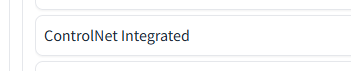
Click the ControlNet menu to open it. (In AUTOMATIC 1111, it will be displayed as ControlNet vXXXXX.)
Check the boxes for ‘ControlNet Unit 0’ and ‘Enable’.
Select the Anytest model you downloaded to Model.
(If the model does not appear in the dropdown menu, click the refresh button on the right.)
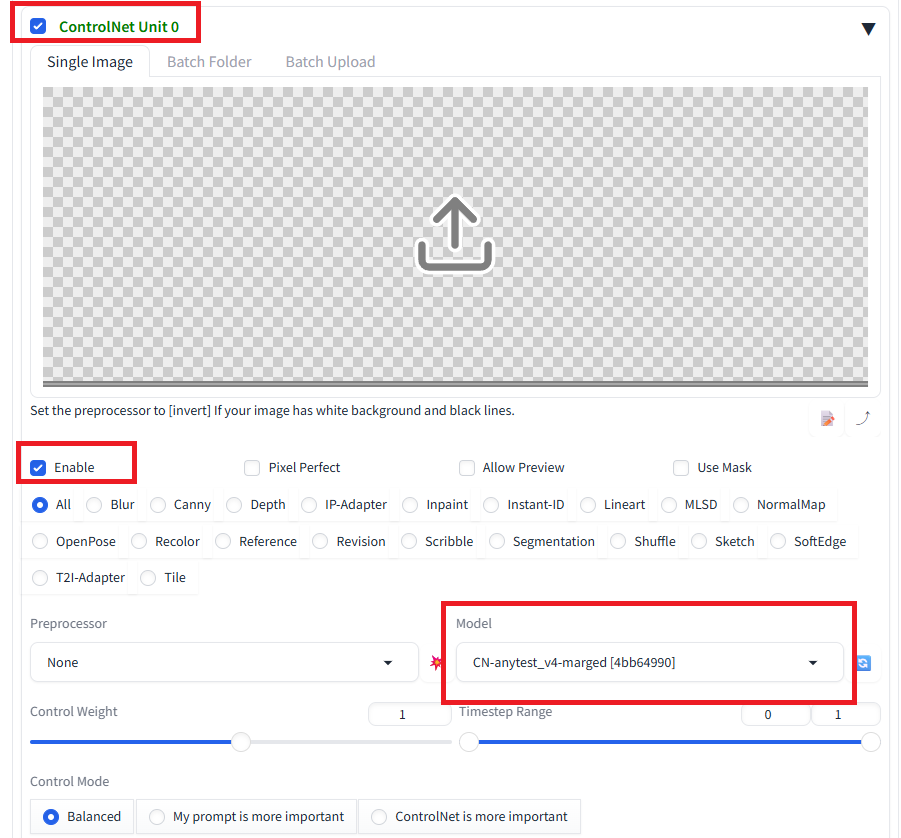
Drag and drop the images to be used in the GUI below.
After that, just like with normal image generation, enter the information in the Prompt (and NegativePrompt) and click Generate.
Result
I was able to use anytest.
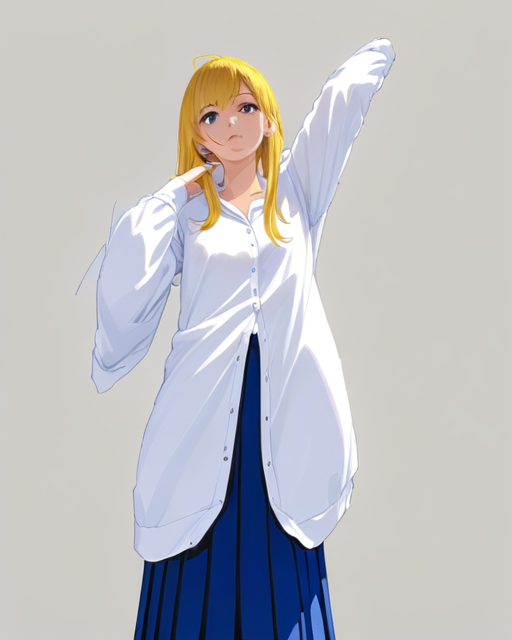
As you can see from the example below, it interprets the information quite favorably and generates images accordingly.
Furthermore, the image quality of the generated images appears to depend on the model.
Example generation
Input image:
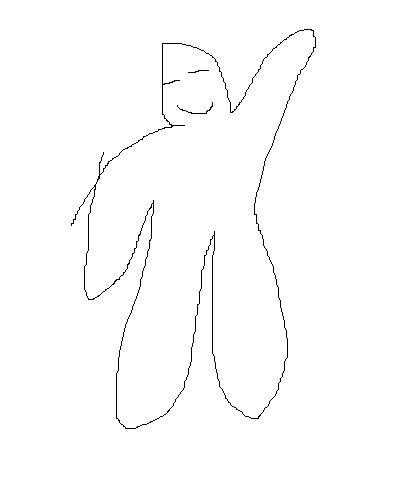
Model:bluePencilXL_v700.safetensors (for anime-style images)
prompt:a girl , blue skirt, white shirt, yellow hair, from front
output:
troubleshooting
AttributeError: NoneType object has no attribute shape
The program may fail at runtime with the error message ‘AttributeError: NoneType object has no attribute shape ‘.
This error occurs when the image generation model (the checkpoint set above, not ControlNet) is not for SDXL.
Please check if the image generation model is for SDXL.
コメント