
Things I want to do
This is a solution for when you encounter the following error when installing an extension from a URL using Stable Diffusion.
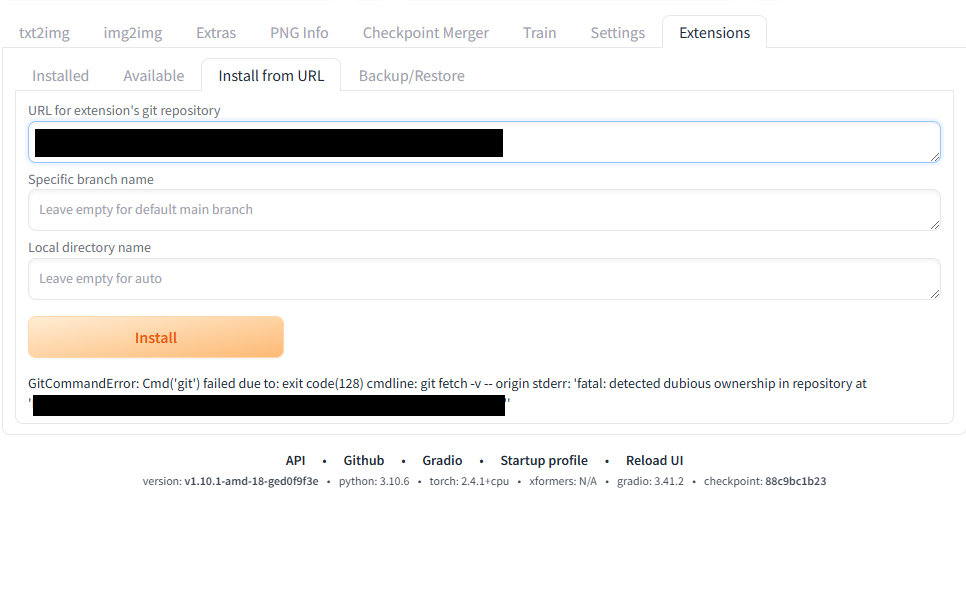
GitCommandError: Cmd(git) failed due to: exit code(128) cmdline: git fetch -v -- origin stderr: fatal: detected dubious ownership in repository at path for temp folder
The `path for temp folder` field contains the path to the working folder.
countermeasure
Open the working folder displayed in the error message using File Explorer.
Create a batch file with any name you like (for example, add_safedir.bat).
Open the created batch file in a text editor such as Notepad, paste the following batch code, and save it.
set "current_dir=%~dp0"
set "m_dir=%current_dir:\=/%"
set "m_dir2=%m_dir:~0,-1%"

git config --global --add safe.directory %m_dir2%

pause
Double-click to run the created .bat file.
Once the execution is complete, close the displayed command prompt window.
Move to the parent folder of the working folder, and then delete the working folder.
Once the removal is complete, return to the Stable Diffusion Extension page and click the install button again.
If the installation fails to complete without any errors or logs being output, please restart Stable Diffusion.
The failed extension may be automatically installed the next time you start the application.
After restarting, please check if the relevant extension is installed.
Result
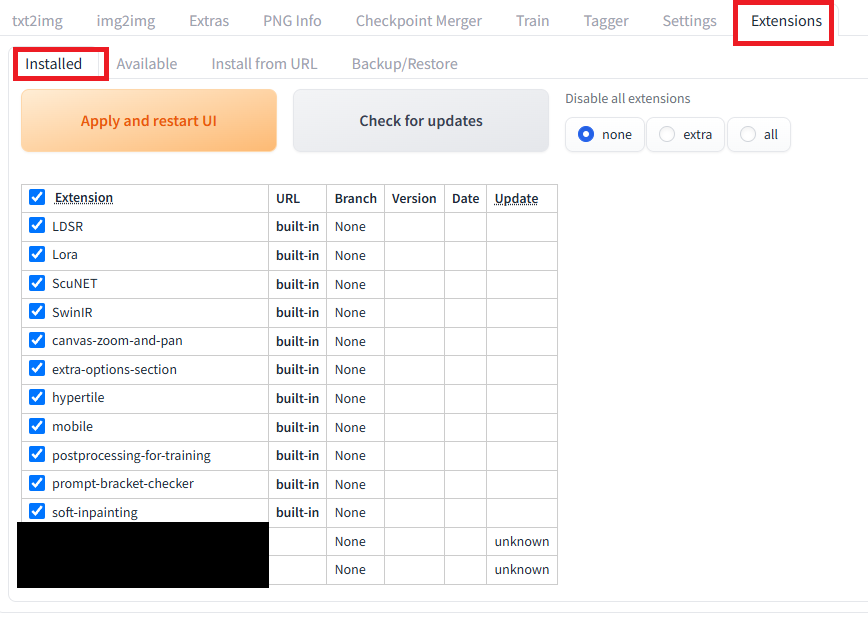
As shown below, the target extension is displayed in the Extension – Installed tab and has been installed.
P.S. If that still doesn’t work
Create a folder with the extension name directly in the extensions folder and clone it. (Alternatively, download the source from git and extract it.)
If the StableDiffusion server is running, stop it and then restart it to install the extensions.

コメント