
Things I want to do
In the article below, we started an HTTP server using Node.js.
I came across an article stating that Node.js cannot be started on port 80 when used on a Unix-like OS. However, it doesn’t specify whether port 80 is available on Windows.
I was curious, so I tried it.

Environment
Node.js v20.16.0
Code used
The following code was used:
Only the port number in the article above has been changed.
import http from 'node:http';

const server = http.createServer((req, res) => {
  res.writeHead(200, { 'Content-Type': 'application/json' });
  res.end(JSON.stringify({
    data: 'Hello World!',
  }));
});

server.listen(80);////Poet80を使用Result
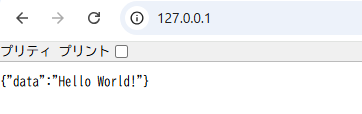
I was able to access it from Chrome at 127.0.0.1 (without specifying a port) without any problems.
I don’t have any expertise in this area, but I’m recording it just in case.
コメント