
Things I want to do
We will set up an HTTP server using Node.js.
We will implement this using ESM (import) instead of CJS (require).
Environment setup
Installing Node.js
Download and install Node.js from the link below, choosing the version that suits your environment.
Node.js — Download Node.js®
Node.js® is a JavaScript runtime built on Chrome's V8 JavaScript engine.
nodejs.org
implementation
Create a folder of your choice and create the server.mjs file within it.
The contents will be as follows:
import http from 'node:http';

/////Strat Server / return json
const server = http.createServer((req, res) => {
  res.writeHead(200, { 'Content-Type': 'application/json' });
  res.end(JSON.stringify({
    data: 'Hello World!',
  }));
});

server.listen(8000);///// Port8000execution
Open the command prompt and navigate to the folder where you created server.mjs.
Execute the following command:
node .\server.mjsOperation check
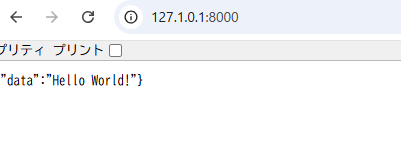
You can see that accessing 127.0.0.1:8000 in a browser like Chrome will return JSON data.
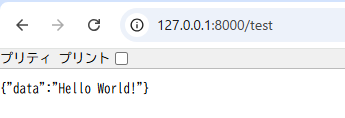
Furthermore, even if you enter any characters after 127.0.0.1:8000/ as shown below, the same result will be returned without any errors such as 404.
Result
I was able to set up an HTTP server using Node.js.
Websites I used as references

HTTP | Node.js v25.1.0 Documentation
nodejs.org

コメント