
Things I want to do
We will create triangular and rectangular prisms, which are basic shapes but can be difficult to make if you don’t know how.
Environment
Blender:3.4.1
Created from a cylinder
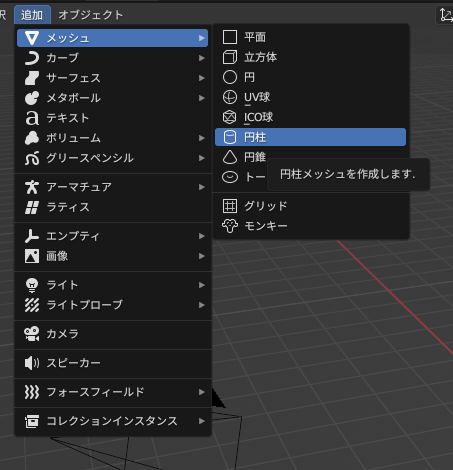
Create a cylinder
Select ‘Add’ → ‘Mesh’ → ‘Cylinder’ to create a cone.
Change the settings for the cylinder
When you create a cylinder, the following GUI will appear in the lower left corner.

After creating the cylinder, if you perform other operations such as clicking on the screen, the GUI above will disappear and the cylinder will be finalized.
The following steps must be performed before proceeding.
Click the GUI above and change the ‘vertex’ in the GUI that appears.
Click the GUI above and change the ‘vertex’ in the GUI that appears.
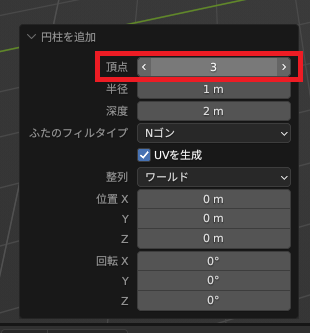
To create a triangular prism, set the number of ‘vertices’ to 3.
To create a rectangular prism, set the number of ‘vertices’ to 4.
By changing the number of vertices, you can also create N-sided prisms (pentagonal, hexagonal, heptagonal, etc.).
Result
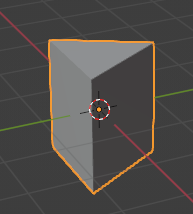
If you set the number of ‘vertices’ to 3, a triangular prism will be created.
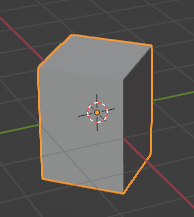
If you set the number of ‘vertices’ to 4, a rectangular prism will be created.

コメント