
Things I want to do
Displaying developer options on Redmi Note 10 Pro.
Many websites explain how to display developer options, but since the process varies slightly depending on the device and version, we’ll explain it here as well.
Environment
Model: Redmi Note 10 Pro
Android version: 13
MIUI version: MIUI Global 14.0.1
Show developer options
Open your Android settings.
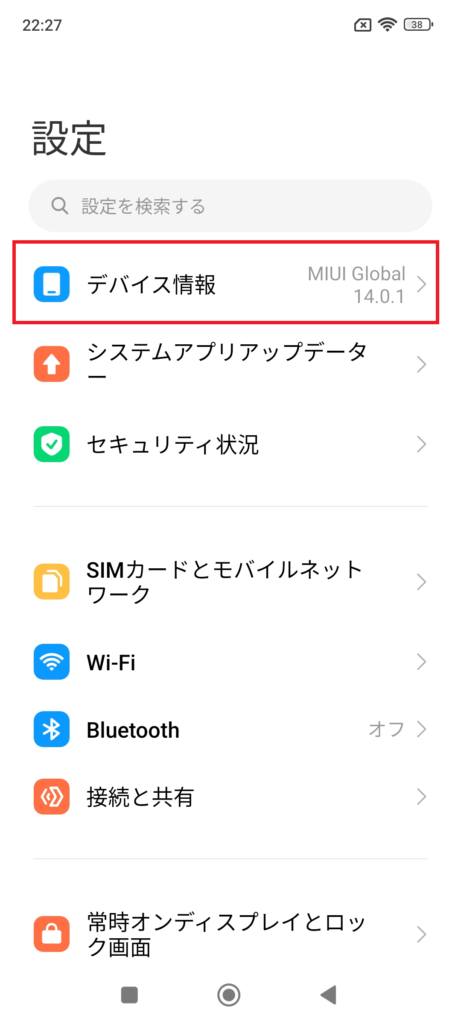
Tap ‘Device Information’ at the very top.
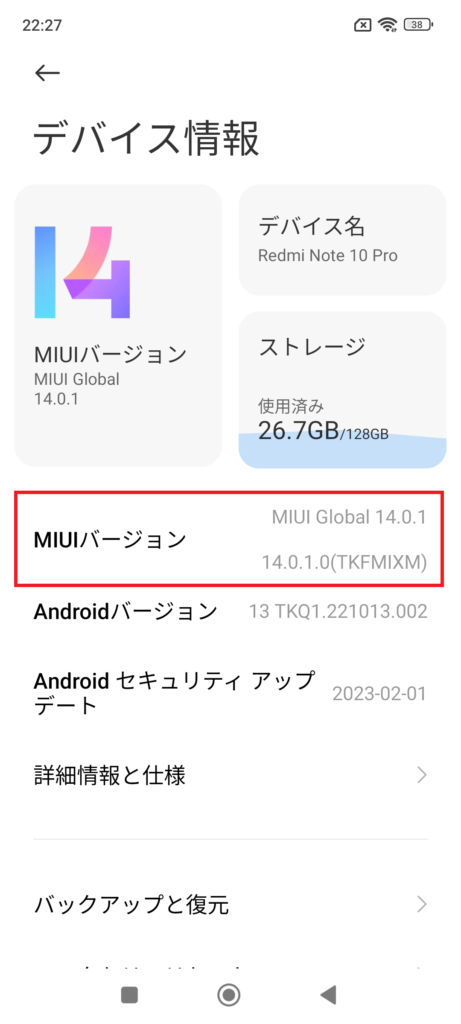
Tap the MIUI version above repeatedly.
(If you keep pressing the button repeatedly, it will display ‘X more presses until developer options are enabled.’)
If successful, a message will appear and ‘Developer Options’ will become available.
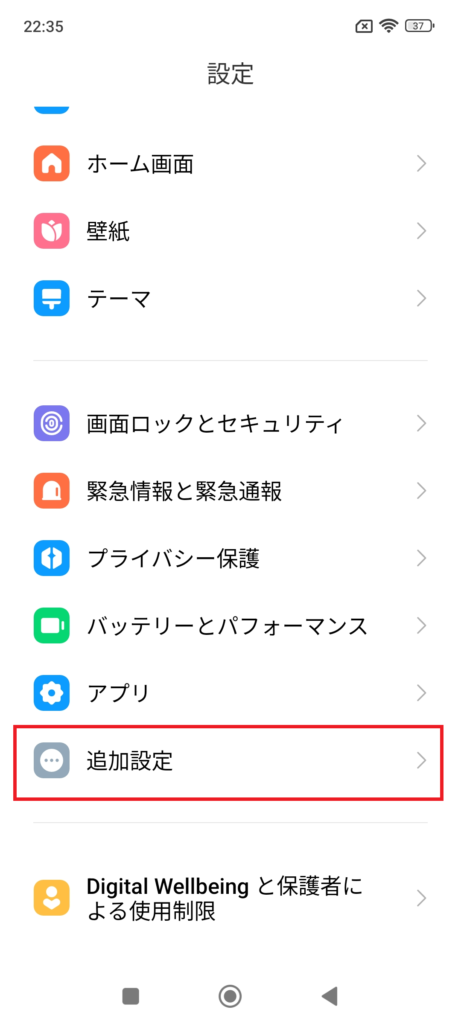
To use the enabled ‘Developer options,’ open the additional settings in Android settings above.
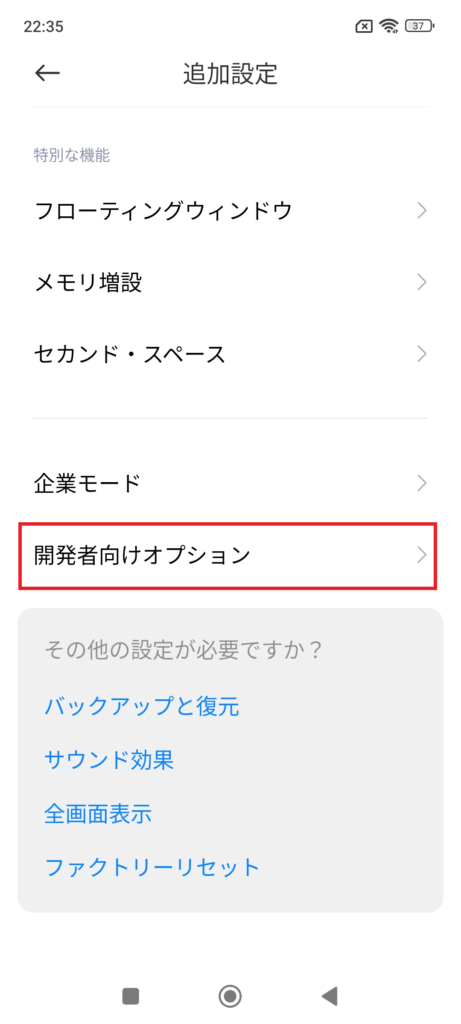
As shown above, ‘Developer Options’ will be displayed.
Also, if you disable ‘Developer Options,’ any settings you changed while they were enabled will also be invalidated.

コメント