
Things I want to do
Fill in the gaps created by deleting points.
This time, we’ll explain using an example where half of a torus is removed for clarity.
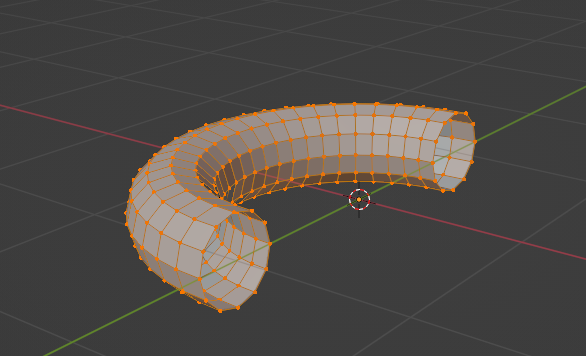
This is a torus with half of it selected and the points removed.
You can see that there is a circular hole.
This page introduces two methods for filling it in.
環境
Blender:3.4.1
OS: Windows 11
Use Fill to fill in the blanks.
Selection of target
Select all the points that correspond to the deleted cross-section.
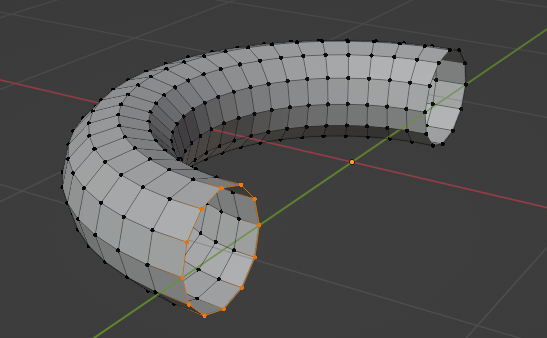
Fill
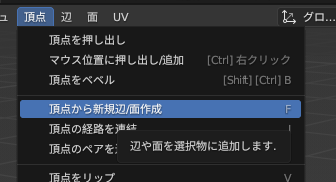
Select ‘Create New Edge/Face from Vertex’ from the ‘Vertex’ menu at the top of the screen. (Alternatively, press the F key.)
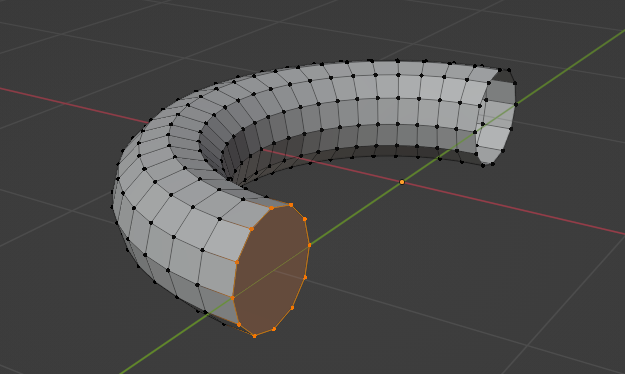
Result
The holes were filled in as follows:
Fill using merge
Selection of target
Select all the points that correspond to the deleted cross-section.
merge
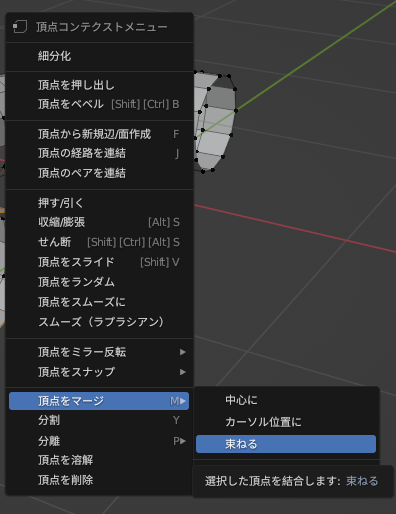
Right-click on the screen → select ‘Merge Vertices’ → ‘Bundle’.
Result
The holes were filled in as follows:
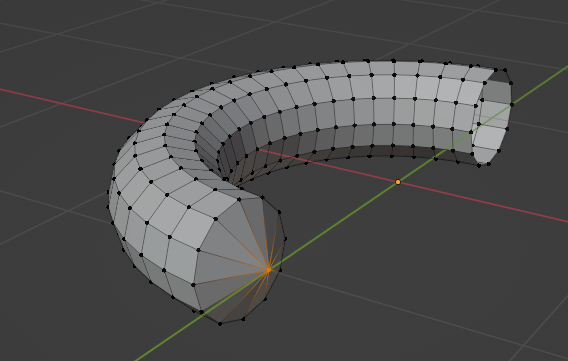
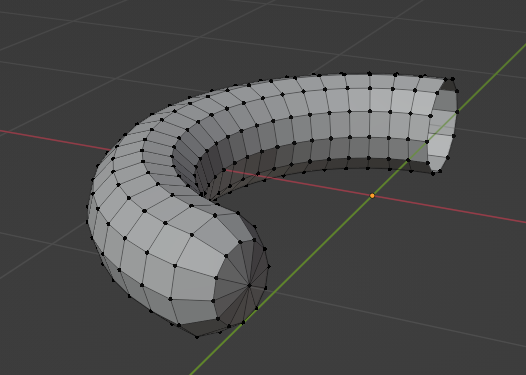
This looks unnatural, but by selecting additional points adjacent to the merged points and smoothing them, you can make it look more natural, as shown below.

コメント