
Things I want to do
Change the text (CHECK) displayed in the WordPress tab box.

Fix it with additional CSS in WordPress.
How to fix it using additional CSS in WordPress
Follow these steps to display the additional CSS editing screen.
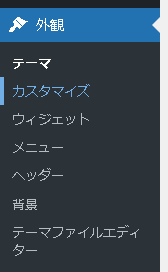
WordPress admin panel ‘Appearance’ → Customize
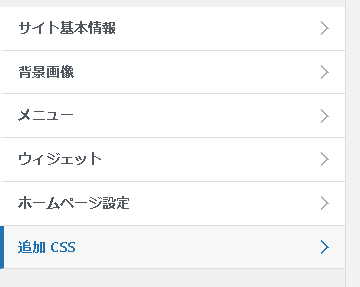
Select Additional CSS.
CSS modifications
The following styles will be added.
.bb-check .bb-label::after {
    content: "XXXXXX";
}
Replace ‘XXXXXX’ with the string you want to change it to. You can also change it to Japanese.
Result

As shown above, I was able to change the text in the tab box from CHECK.
Other options
I tried to fix it by changing the innerText using JavaScript, but it didn’t work.

コメント