
Things I want to do
I want to create a mesh (editable object) containing Japanese characters in Blender.
Environment
Blender:3.4.1
OS: Windows 11
Convert Text objects to mesh
Create a Text object
Switch to object mode.
Select ‘Text’ from ‘Add’.
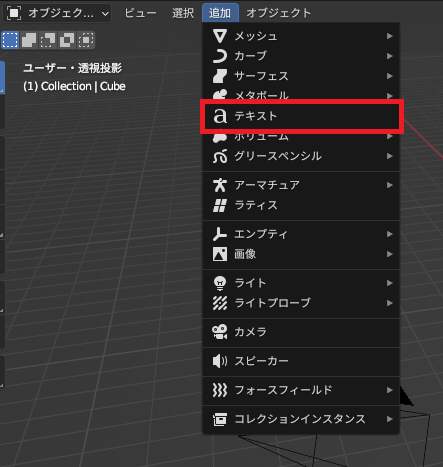
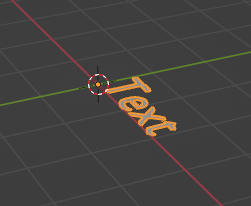
An object named ‘Text’ will be created as shown below.
Text modification
Change the mode from object mode to edit mode.
A cursor will appear on the created text object, allowing you to edit the text.
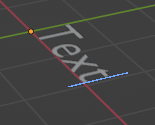
If you are unable to enter text, please click on the area where the 3D model is displayed.
However, you cannot input Japanese characters at this point.
Japanese input
To input (display) Japanese characters, you need to follow these two steps:
Change font
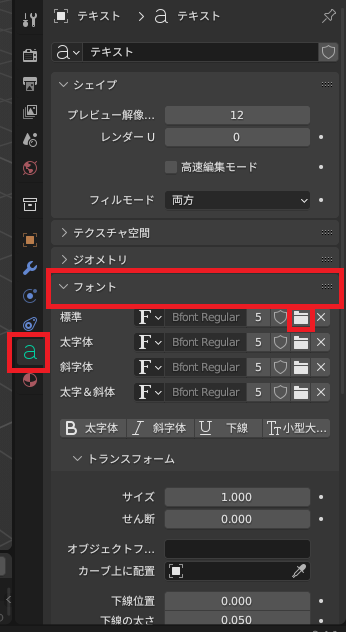
Open a Japanese-compatible font (such as Yu Gothic) from the ‘Open Font’ icon under ‘Standard’ in the ‘Font’ group of the ‘Object Data Properties’ tab. (This setting needs to be configured for each project.)
Japanese text settings
Even after completing the above font settings, Japanese characters will not be displayed when typing.
To set Japanese text, copy the Japanese text you typed in Notepad or another text editor with the font set, then paste it into the text input field.
You can create a Japanese text object by following the steps above.
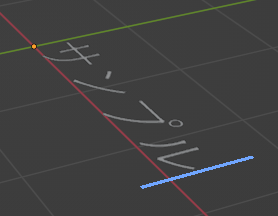
Meshing of Text objects
Add thickness to the Text object.
Initially, the Text object has no thickness, so we will add thickness to it.
Go to the ‘Object Data Properties’ tab → ‘Geometry’ group → and change the ‘Extrude’ value from 0m. (In the example below, change it to 0.1m)
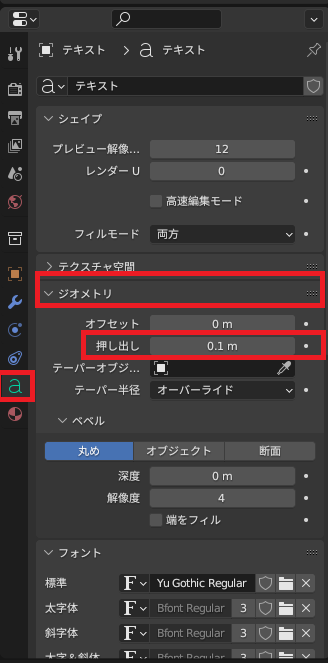
As a result, the text object gains thickness, as shown below.
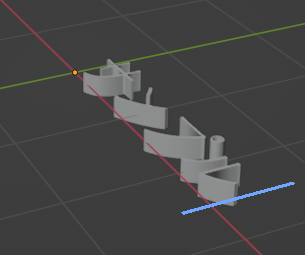
Convert text objects to meshes
Change the mode from Edit Mode to Object Mode.
Right-click in the 3D display area and select ‘Transform’ → ‘Mesh’.
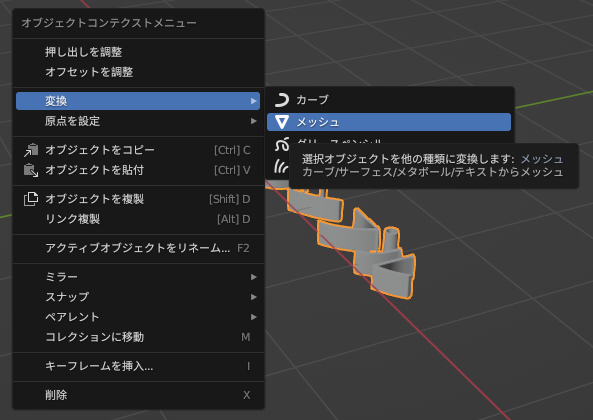
The mesh generation is now complete.
Result
A mesh for Japanese characters has been created.
Since it’s a mesh, you can adjust and edit it by editing the vertices, etc.
Using this method, you can easily create meshes not only for Japanese characters but also for special characters within fonts.
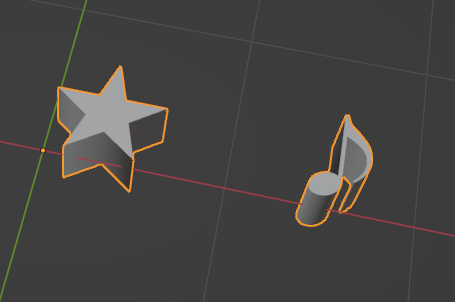
Other options
Created by combining basic meshes. → Not worth the effort.
Websites I used as references

コメント