
Things I want to do
This modifies the facial expressions of MMD models imported into Blender.
I will proceed using Animasa’s Hatsune Miku model as an example.
See below for loading instructions.

Change of facial expression
First, to make the changes easier to see, change the shading in the 3D view to ‘Material Preview’ (see image below) or ‘Render’ to its right.

The loaded model has the following configuration, so select ‘Hatsune Miku_mesh’.
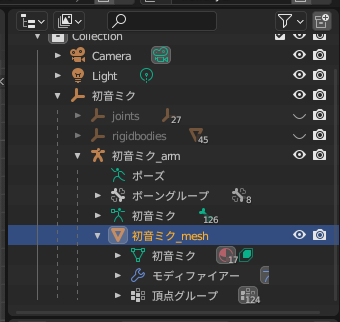
Next, select ‘Object Data Properties’ at the bottom.
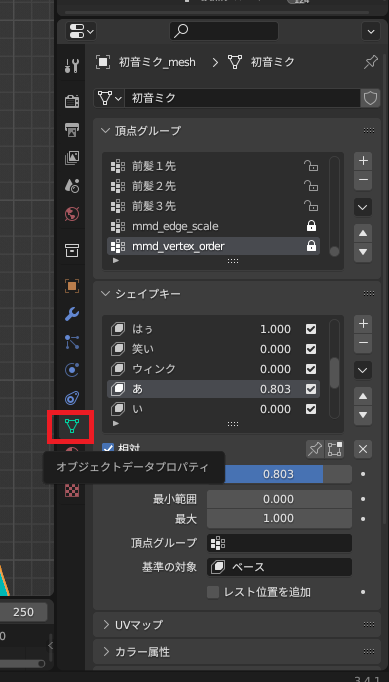
The shape keys displayed in the GUI control the facial expression settings.
Select the expression you want to change from the list, and then modify the setting using the value.
Unchecking the box to the right of the list will set the value to the same as 0.
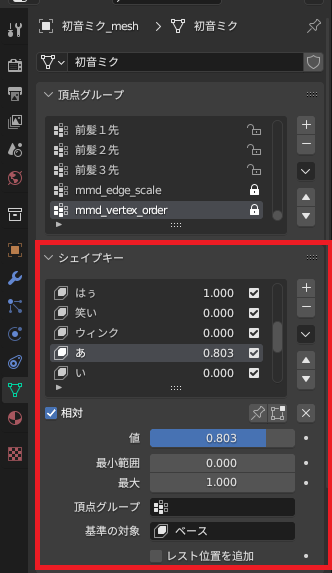
Result
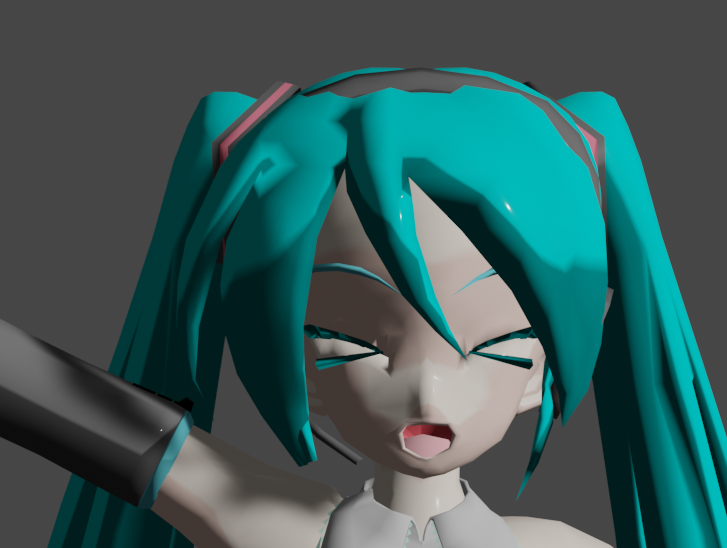
By changing ‘hau’ (eye setting) and ‘a’ (mouth setting), I was able to make the following changes.
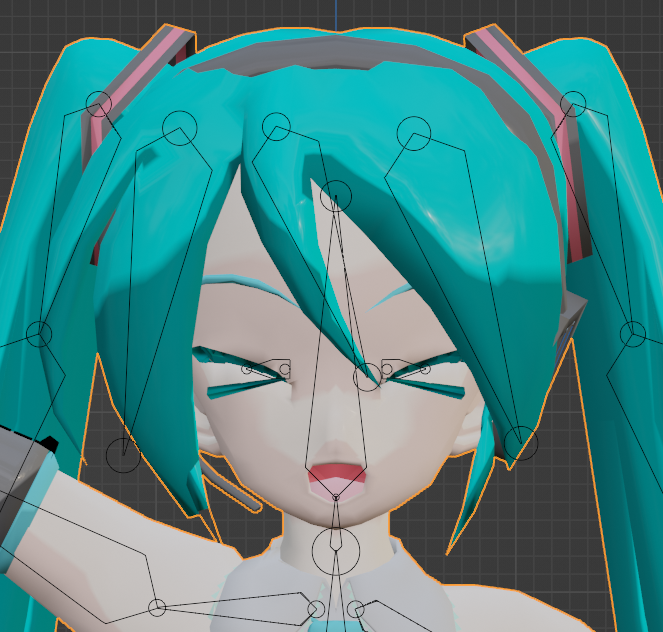
When rendered, it looks like this:
コメント