
Things I want to do
Stable Diffusion Forge typically requires an Nvidia GPU (such as GeForce).
This guide explains how to run Stable Diffusion Forge using only the CPU on a PC without an NVidia GPU.
Environment setup
download
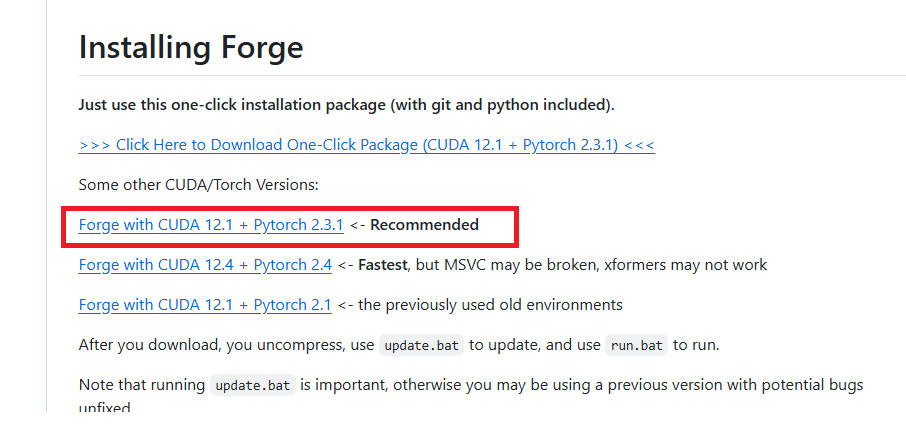
The following page will open.
Scroll down the page to find the ‘Installing Forge’ section, and click on the recommended binary to download it.
Development
Extract the downloaded zip file to a folder of your choice.
bat modification
Open the following file with a text editor such as Notepad.
webui¥webui-user.bat
Modify the following line.
set COMMANDLINE_ARGS=After correction
set COMMANDLINE_ARGS=--always-cpu --skip-torch-cuda-test --no-half --opt-sub-quad-attention --upcast-sampling --opt-sdp-attentionThis completes the environment setup.
–always-cpu –skip-torch-cuda-test is required, but please adjust the others as needed.
Model Installation
It appears that stable-diffusion-webui-forge does not have the models installed initially.
Install the model by following the instructions in the article below.

execution
Run the run.bat file located in the extracted folder.
If you encounter the following error during execution (processing will continue), execute the `git config~` command displayed. This error may reappear. If it appears again, execute the command again. (The folder path in the argument should have changed.)

If your browser launches and the GUI is displayed as shown below, then it was successful.

Result
I was able to create the image by entering the prompts in the displayed GUI and clicking Generate.
コメント