
Things I want to do
I want to read and write values from different scenes using Phaser3.
Here, we’ll use the code created on the page below to display the two scenes side-by-side as an example.

The code is as follows:
class secondScene extends Phaser.Scene {
    create (data)
    {
        this.cameras.main.setSize(200,600);
        this.cameras.main.setPosition(data.x,data.y)
        this.add.rectangle(0, 0, 200, 600, 0x00ff00, 0.5).setOrigin(0);
    }
}

class mainScene extends Phaser.Scene {
    create ()
    {
        this.cameras.main.setSize(600,600);
        this.add.rectangle(0, 0, 800, 600, 0xff0000, 0.5).setOrigin(0);
        this.scene.add('second', secondScene, true, { x: 600, y: 0 });
    }
}
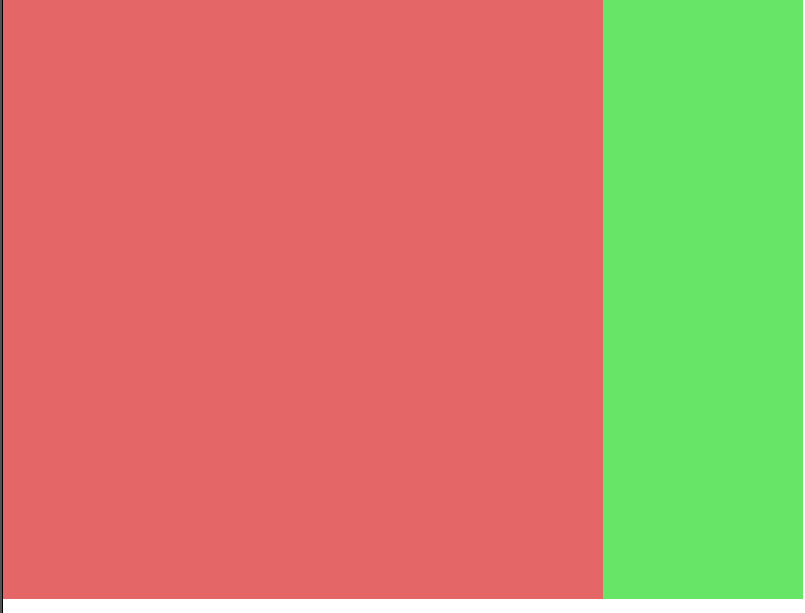
When executed, it displays a mainScene with a red rectangle on the left and a secondScene with a green rectangle on the left, as shown below.
implementation
Trying
Let’s try implementing it with the following specifications.
– The count is incremented in the update method of secondScene.
– Get the count from mainScene to secondScene, and reset it to 0 if it exceeds 500.
– Display the acquired count in mainScene
Implementation on the secondScene side
There’s nothing in particular to be careful about in secondScene. (However, in this case, we cannot define it as private because we are directly manipulating the value from outside the class.)
Define `count` within the class and increment `count++` in the `update` method as per the specifications above.
count = 0;
update() {
    this.count++;
}
Implementation on the mainScene side
Create a display area for the count.
This.add.text creates a text area in the upper left corner.
The created Text object will be saved to count_text.
    count_text;
    create ()
    {
        this.cameras.main.setSize(600,600);
        this.add.rectangle(0, 0, 800, 600, 0xff0000, 0.5).setOrigin(0);
        this.scene.add('second', secondScene, true, { x: 600, y: 0 });

        this.count_text = this.add.text(0, 0, "0").setOrigin(0); //追加

    }
Count acquisition and display
We will also create an update in mainScene.
You can get the second scene using `this.scene.get( second )`. `second` is the scene key and is the first argument to `this.scene.add`.
You can get the count from the retrieved scene. (Of course, you can also implement a Get method.)
The obtained count is displayed using this.count_text.setText.
    update(){
        let count = this.scene.get('second').count;

        this.count_text.setText(count);
    }
When you run the current code, a count is now displayed in the upper left corner.

Count update
The count can be updated in the same way as retrieval by updating the `count` of the scene obtained using `this.scene.get`. (Of course, implementing the `Set` method is also fine.)
To reset the count to 0 when it exceeds 500, as per the specifications, I implemented it as follows.
    update(){
        let count = this.scene.get('second').count;
        if(count > 500) { //ここから追加
            count = 0;
            this.scene.get('second').count =0;
        } //ここまで追加
        this.count_text.setText(count);
}Result
I was able to read and write values from different scenes.
Other option
In most cases, other scenes are created in a different location, so you need to retrieve them using this.scene.get.
However, when creating a scene directly using `this.scene.add`, as in this case, you can save and use the returned value.
class mainScene extends Phaser.Scene {
    count_text;
    second_scene; //追加
    create ()
    {
        this.cameras.main.setSize(600,600);
        this.add.rectangle(0, 0, 800, 600, 0xff0000, 0.5).setOrigin(0);
        this.second_scene = this.scene.add('second', secondScene, true, { x: 600, y: 0 }); //代入

        this.count_text = this.add.text(0, 0, "0").setOrigin(0);

    }
    update(){
        let count = this.second_scene.count; //代入したSceneを使用
        if(count > 500) {
            count = 0;
            this.second_scene.count = 0; //代入したSceneを使用
        }
        this.count_text.setText(count);
    }
}supplement
The key in the argument of this.scene.get is used when the scene is created without being explicitly specified, other than in this.scene.add, etc.
class SceneA extends Phaser.Scene {

    constructor ()
    {
        super({ key: 'SceneA'});
    }
or
class SceneA extends Phaser.Scene {

    constructor ()
    {
        super('SceneA');
    }
It is passed from the Scene constructor to the parent class’s constructor, like this.
コメント