
Things I want to do
Using a custom Chrome extension with Edge.
Creating Chrome extensions is done on the following page.

Environment
Edge:112.0.1722.64
Registering extensions
While this is not guaranteed for all extensions, no modifications are required to register Chrome extensions with Edge.
Register the extension you created using the following steps in Edge.
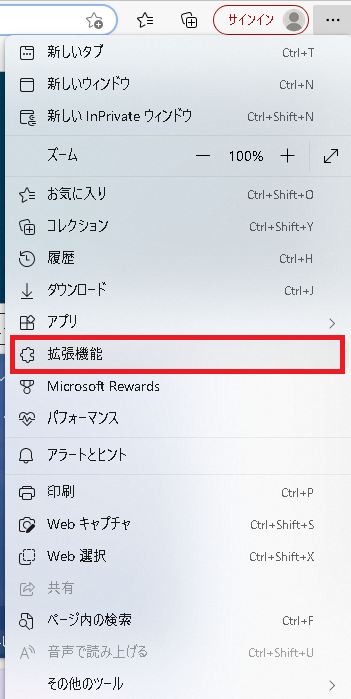
Open Edge, and select ‘…’ next to your username, then select ‘Extensions’ as shown above.
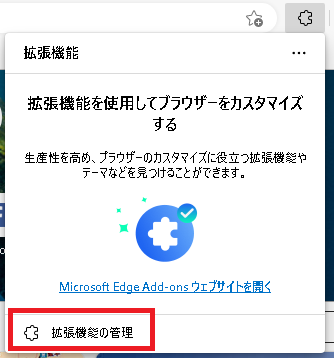
The GUI shown above will appear, so click on ‘Manage extensions’.
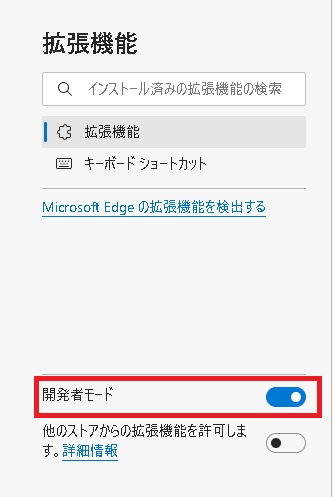
Turn on ‘Developer Mode’ on the left side of the screen.
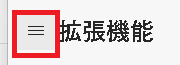
If the ‘Developer Mode’ checkbox is not displayed, click the three lines on the left side of the screen to show it.
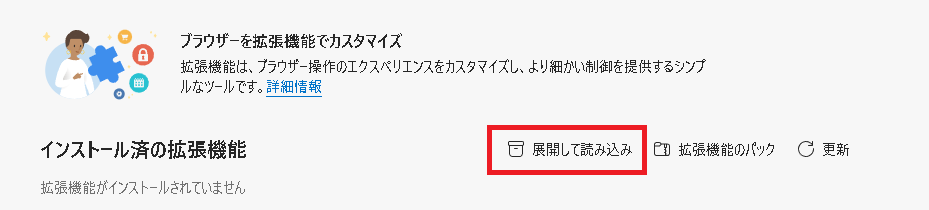
Click on ‘Expand and Load’ which will appear on the right side of the screen.
Sometimes, the text ‘Expand and Load’ may not appear, and only an icon may be displayed.
The file selector will launch, and you will find the manifest.json file you created.folderWith the window open, click ‘Select Folder’.

If the extension you created is displayed as shown above, then it was successful.
Result
This will allow you to register and use your custom Chrome extensions in Edge.
コメント