
Things I want to do
I want to select an object based on the mesh structure from an object created from multiple meshes (because they are added through object merging or editing mode).
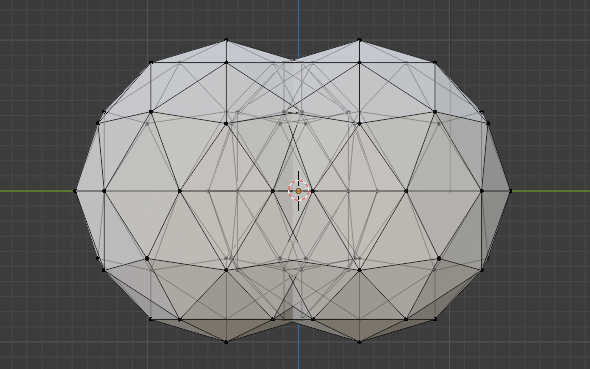
For example, we want to select only one object from two overlapping spheres, as shown below.
Environment
Blender:3.4.1
OS: Windows 11
Select using the link
Select a portion of the target mesh.
Switch to edit mode and select a location (vertex, edge, or face) that clearly identifies the target mesh.
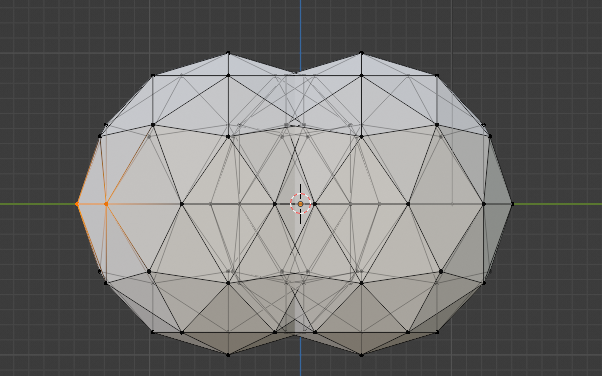
Select the areas where the two meshes do not overlap.
Selection of the location and linked vertices
Select the vertices linked to the selected location. Two methods are presented; the result is the same.
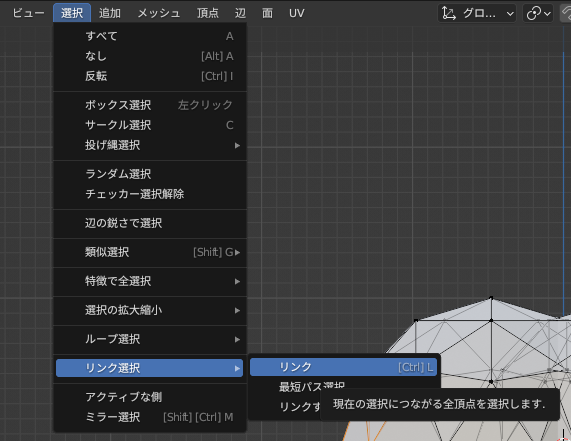
From the menu
From the menu in the upper left, select ‘Select’ → ‘Link Selection’ → ‘Link’.
Shortcut
Press the L key.
Shortcuts may not respond after switching windows, for example.
You will need to select again and enter the key again.
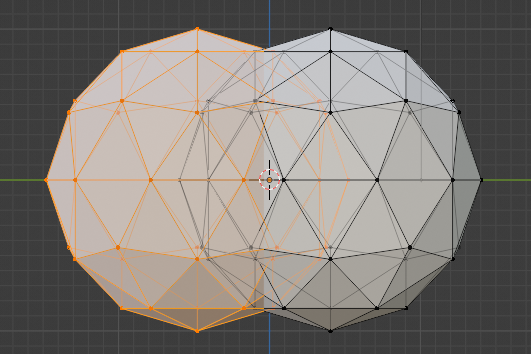
Result
I was able to select only one object from the two overlapping spheres.

コメント