
Things I want to do
Sometimes, immediately after cloning a Git repository, you may see the following message from Git, preventing you from pulling or performing other operations.
Could not open repository.
libgit2 returned: repository path 'X:\XXXX' is not owned by current user

To add an exception for this directory call:
git config --global --add safe.directory 'X:\XXXX'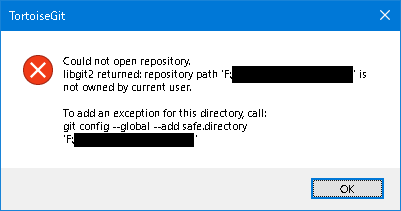
I could just modify the displayed command slightly and run it, but that’s a hassle and I forget the rules easily, so I made it into a batch file.
As shown above, to execute a command manually, you need to modify and run the displayed command.
Specifically, you need to remove the single quotes (”) that enclose the folder path.
Batch creation
Create a batch file with any name in the repository’s root folder. (For example, add_safedir.bat)
Open the created batch file in a text editor such as Notepad, paste the following batch code, and save it.
set "current_dir=%~dp0"
set "m_dir=%current_dir:\=/%"
set "m_dir2=%m_dir:~0,-1%"

git config --global --add safe.directory %m_dir2%

pauseBatch execution
Double-click the saved batch file to run it.
A message will appear saying, ‘Press any key to continue…’ Please press any key to close it.
It may not work if the folder name contains spaces.
Result
You can now perform operations such as `pull` in Git.
Websites I used as references



コメント