
Things I want to do
This program exports MMD models imported into Blender as glb files that can be displayed using Threejs.
I will proceed using Animasa’s Hatsune Miku model as an example.
See below for loading instructions.

Material Change
When importing a PMD file, the material used is called MMDSharderDev, but this cannot be displayed correctly in ThreeJS when exported as a glb file.
Therefore, you need to change the material settings.
Select ‘Hatsune Miku_mesh’.
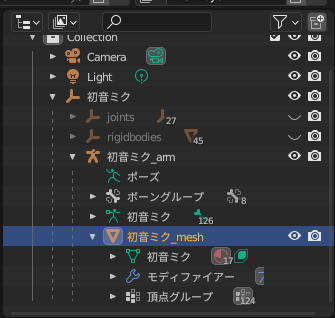
Select the material properties.
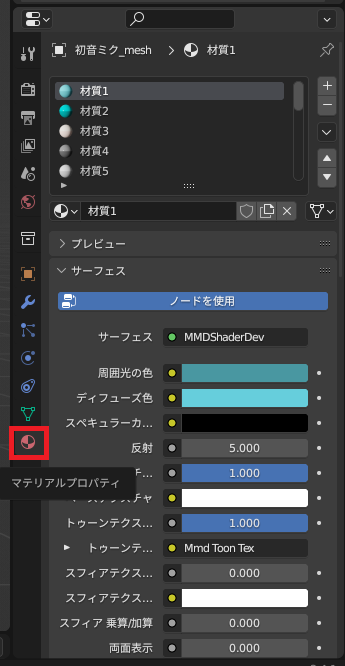
Select one material from the list, click ‘Use Node’ to deselect it, and change the blend mode from ‘Alpha Hash’ to ‘Opaque’.
As shown in the diagram below, if ‘Use Node’ is grayed out, it means it is not selected.
The model used here automatically assigns the necessary colors to the base color when ‘Use Nodes’ is deselected, but some models may require manual configuration.
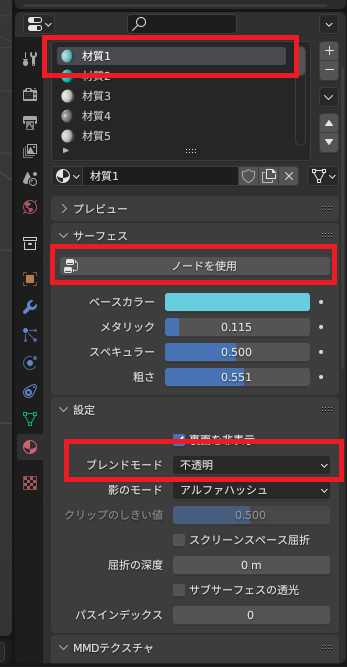
Apply the above material settings to all materials.
Export to glhead
From the ‘File’ menu, select ‘Export’ → ‘glTF 2.0 (.glb/.gltf)’.
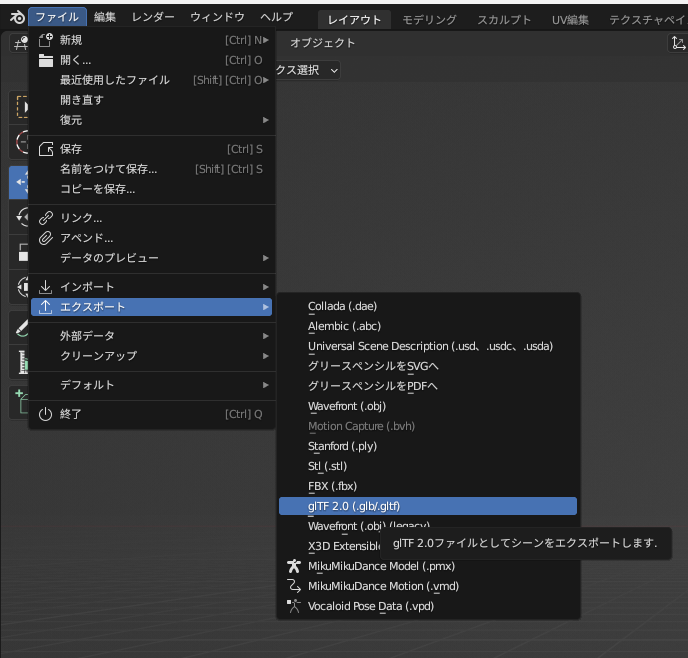
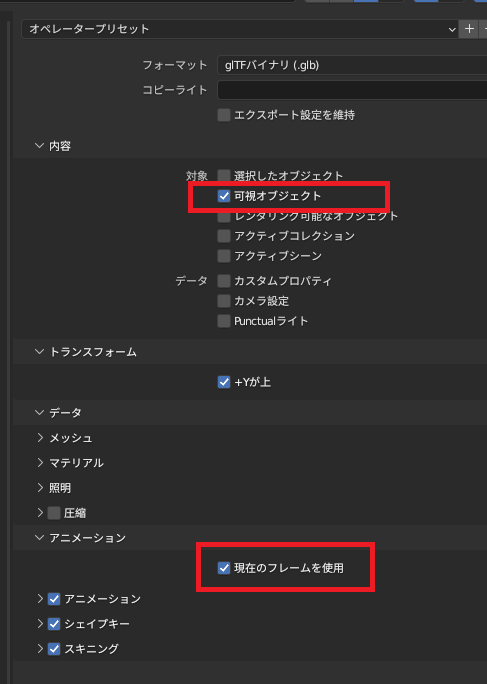
In addition to the default export settings, make sure to check ‘Visible Objects’ and ‘Use Current Frame’ and save the settings.
Result
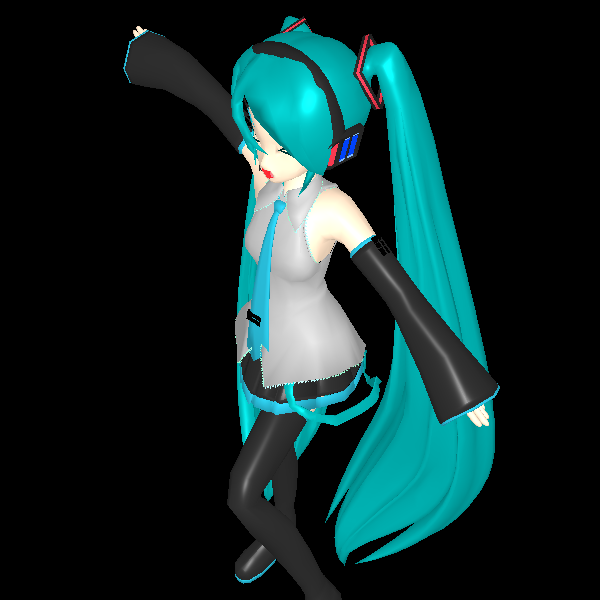
I was able to display the exported glb file using Threejs.
You can see that the pose and facial expression set in Blender have also been applied.
For instructions on how to display a glb file using threejs, please refer to the following page.
The image above also shows settings for the light source and camera in addition to loading.
コメント