
Things I want to do
Stable Diffusion Forge typically requires an Nvidia GPU (such as GeForce).
ComfyUI provides a batch file that launches using the CPU (without a GPU), but it does not provide a batch file that launches using an AMD GPU (direct-ml).
This section explains how to launch using an AMD GPU (direct-ml).
Notice
Not all CustomNodes (plugins) will work. Flux.1 and Janus did not work. The reasons vary. (Some have ‘cuda’ hardcoded, and others use float8, which torch-directml does not support.)
boot
download
You will be redirected to the next page.
Download ComfyUI_windows_portable_nvidia.7z from the Assets folder, specifically the version tagged ‘Latest’ (likely the top one).
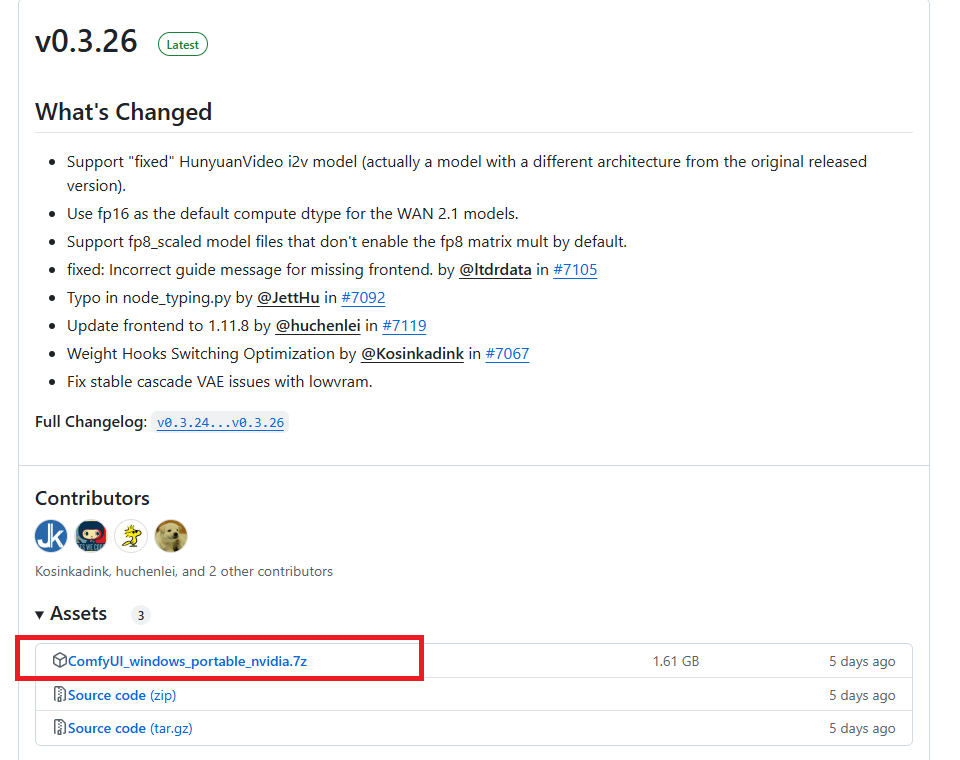
Extract the downloaded ComfyUI_windows_portable_nvidia.7z to a folder of your choice.
Creating a batch file
Create a file with the following content using a text editor like Notepad and save it as run_directml.bat in the folder where run_cpu.bat is located.
.\python_embeded\python.exe -s ComfyUI\main.py --directml --windows-standalone-build boot
Run the created run_directml.bat file from File Explorer.
The initial startup may take some time.
Simple instructions for use
This guide explains how to create images using StableDiffusion.
Model Installation
Please refer to the following page for model download instructions.

Copy the downloaded model to ComfyUI_windows_portable\ComfyUI\models\checkpoints.
Workflow creation
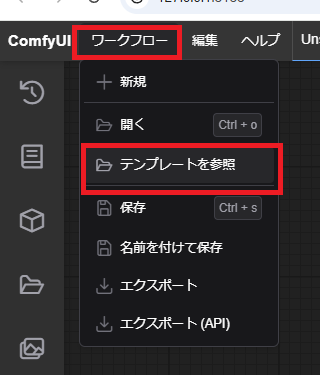
From the top left of the screen, select Workflow → Browse Templates.
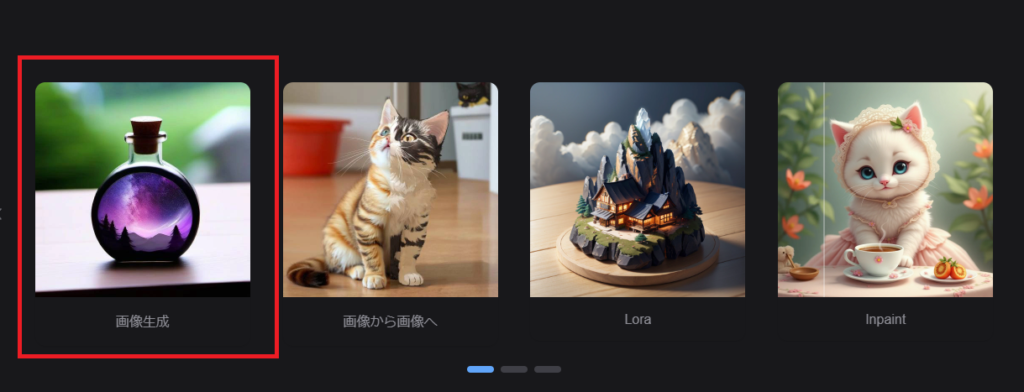
Select image generation.
Select the model to use in step ① of the displayed workflow.
Enter the prompt in ②.
Enter a negative prompt in ③.
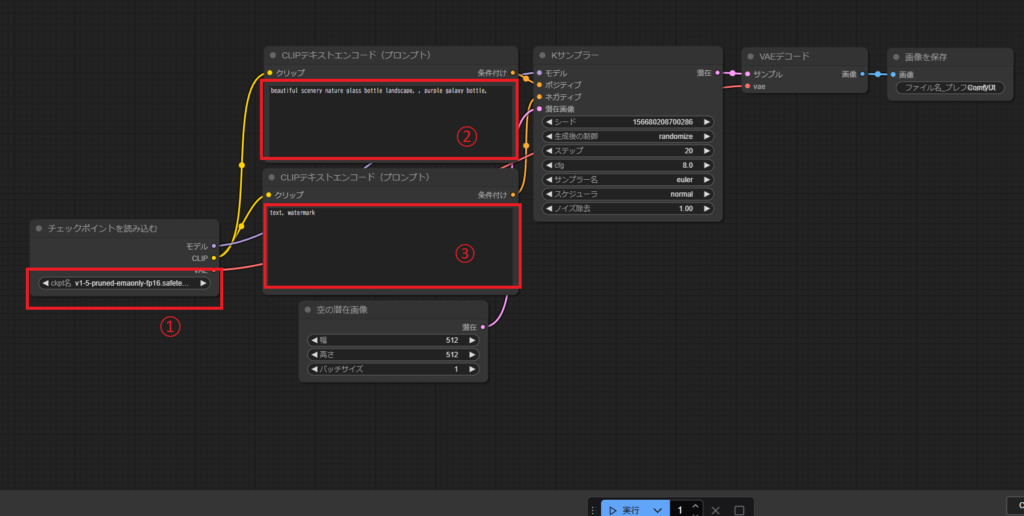
Click ‘Execute’ at the bottom of the screen.

Once the process is complete, the generated images will be displayed on the right and bottom sides as shown below.
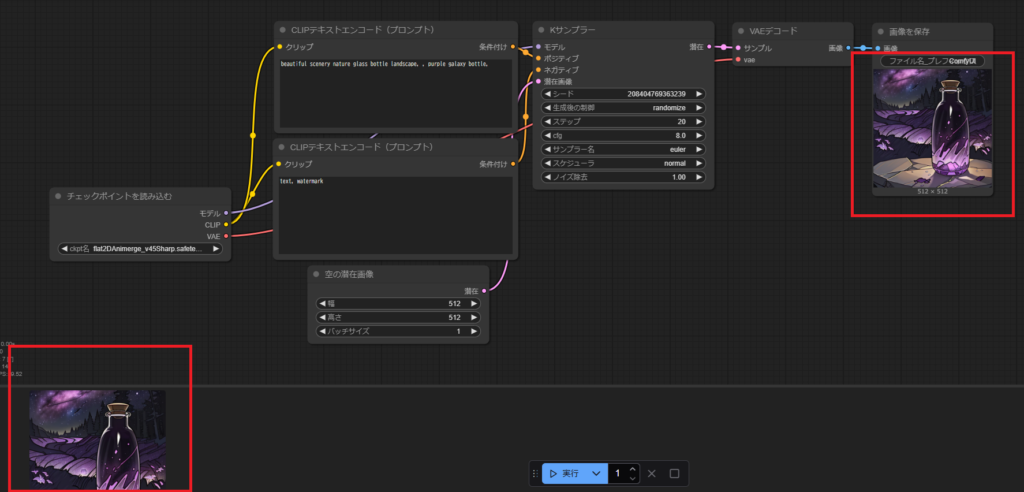
Result
I was able to create images using StableDiffusion with ComfyUI using an AMD GPU (direct-ml) locally.
troubleshooting
If you encounter an error, please modify the batch file you created as follows.
This may help avoid errors by reducing VRAM usage.
.\python_embeded\python.exe -s ComfyUI\main.py --directml --windows-standalone-build --lowvram --use-split-cross-attention --force-fp16 --fp16-unetAlso, once an error occurs, it may occur repeatedly.
If an error occurs, it’s best to close the ComfyUI command prompt and restart it.
コメント