
Things I want to do
This opens a 3D model file (PMD) for MMD (MikuMikuDance) in Blender.
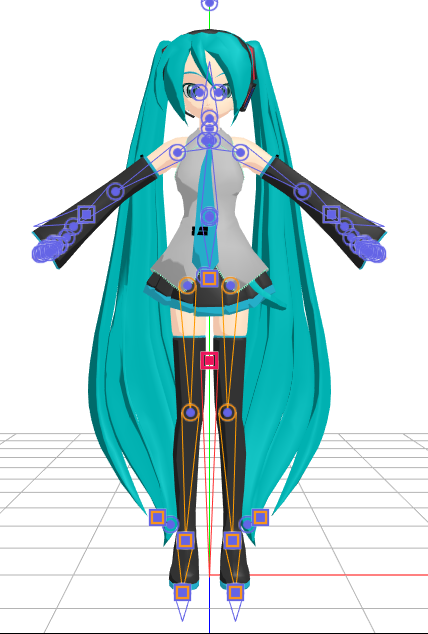
I will proceed using Animasa’s Hatsune Miku model as an example.
As mentioned on the page below, the Blender version has changed, and the procedure has also changed, so I will explain it again.

Installing Blender add-ons
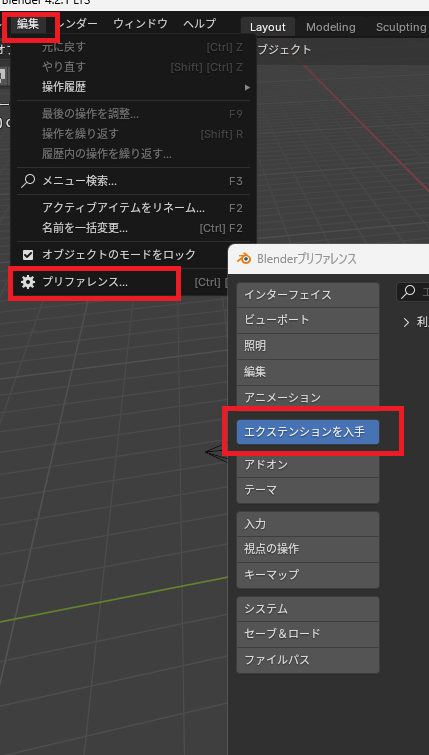
Click Edit menu → Preferences → ‘Get Extensions’.
(If a button labeled ‘Allow online access’ appears, please click it.)
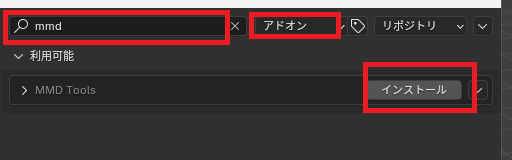
Enter ‘MMD’ in the search bar at the top, confirm that the type is ‘Add-on,’ and then perform the search.
MMD Tools will appear, so click Install.
Reading PMD files
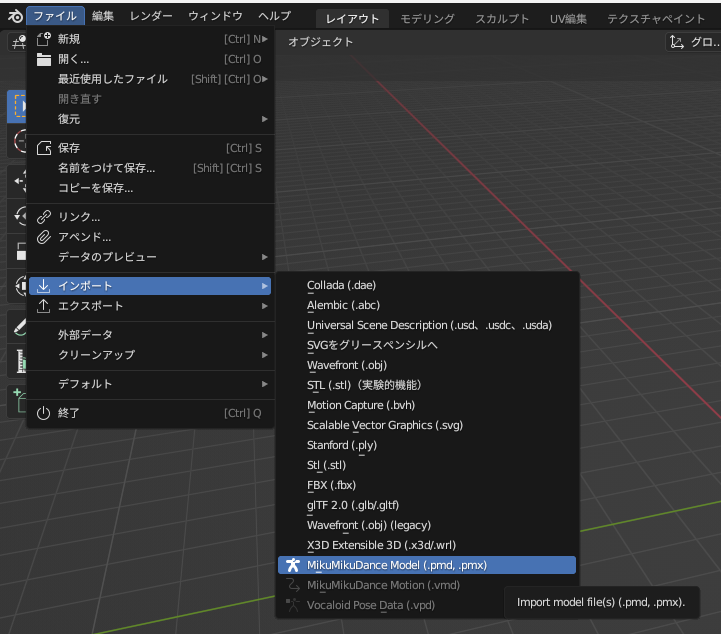
After installing the aforementioned add-on, the following will be added to the ‘File’ menu → ‘Import’ → ‘MikuMikuDance Model (pmd, pmx)’ options.
Result
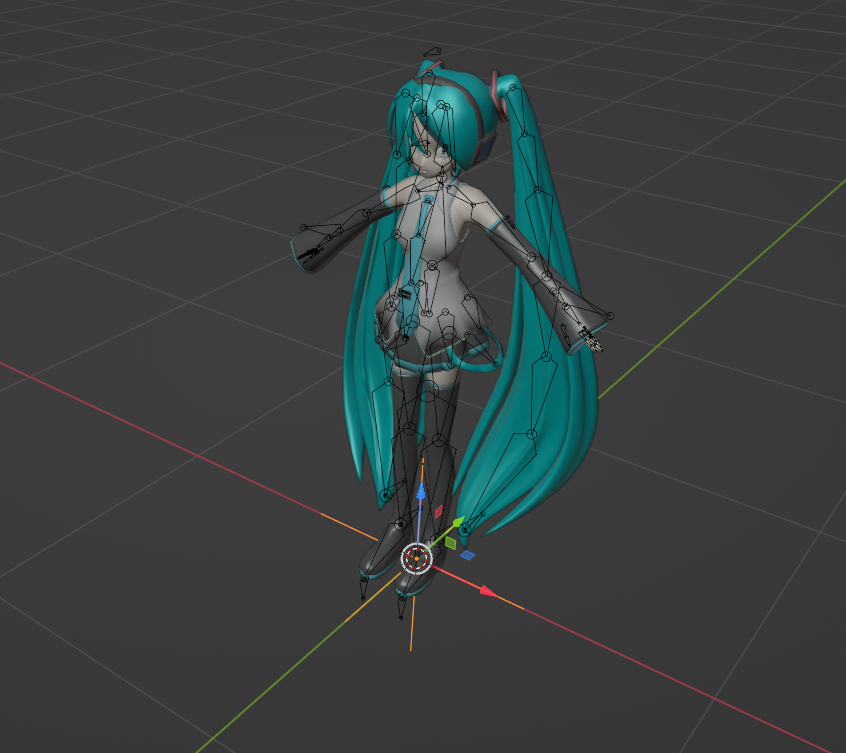
By selecting the Hatsune Miku.pmd file included with MMD from ‘MikuMikuDance Model (pmd, pmx)’, I was able to display Hatsune Miku in Blender.
コメント