
Things I want to do
We will place a button on the website that allows users to post (tweet) with hashtags to X (formerly Twitter).
Get the code
Access the following website.

Select ‘A Hashtag, like #whatsHappeing’.
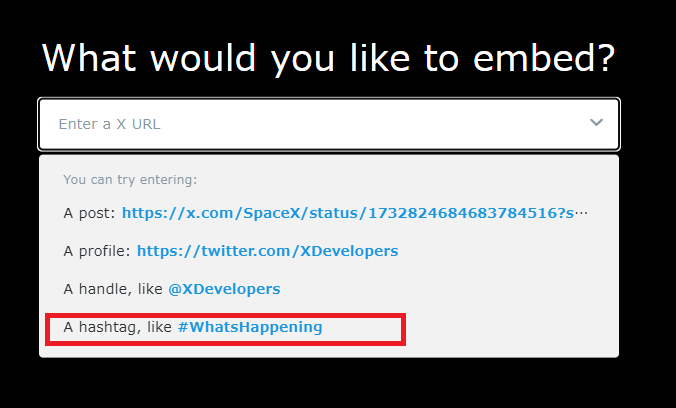
When you make a selection, the page will scroll to the bottom, but then it will scroll back to the top of the page.
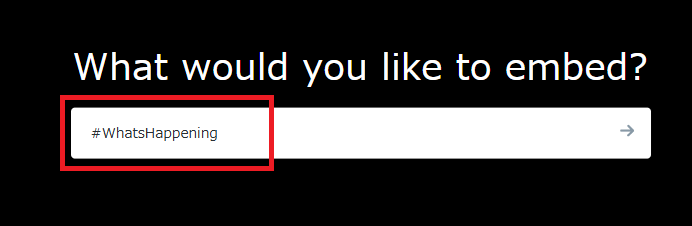
The edit box where you selected ‘A Hashtag, like #whatsHappeing’ above now looks like this, so change it to the hashtag you want to post.
Please remember to press Enter after entering your code. Otherwise, the code will not be updated.
Scroll to the bottom of the page.
If necessary, click ‘set customization options’ to display the settings screen.
You can set the post text in the ‘Do you want to prefill the Tweet text?’ field.
You can set a specific URL to include in the Tweet body in the ‘Do you want to set a specific URL in the Tweet?’ field.
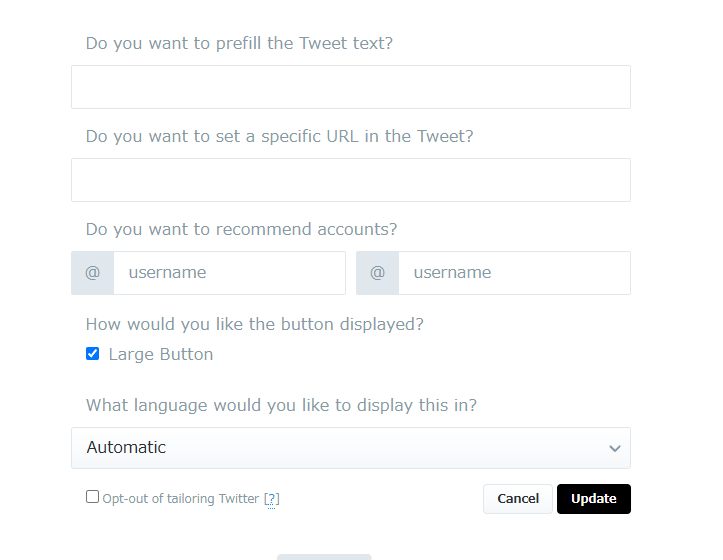
Once you’ve finished configuring the settings, click Update to complete the setup process.
Click ‘copy code’ to copy the code.
Code Usage
Paste the copied code between the and tags in your HTML.
Result
We were able to place a button to post with hashtags on X, as shown below.
In reality, the hashtag you set after the # will be displayed.


コメント