
Things I want to do
As described in the article below, if you save an sif file in Inkscape and open it in Synfig Studio, the group information will be lost.

However, without group information, it is difficult to find or manipulate the necessary objects.
Therefore, this article will explain how to transfer group information to Synfig Studio.
Save Layers
To put it simply, by creating layers instead of groups, Synfig Studio will treat the layers as groups.
Convert from group to layer
Right-click the group you want to convert from the ‘Layers and Objects’ tab.
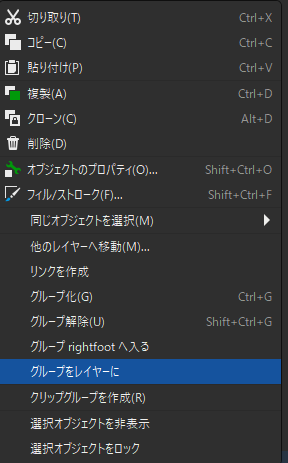
Select ‘Group to Layer’ from the menu that appears.
If the icon changes from the left icon to the right icon, it has been converted to a layer.

Convert from group to layer

Save and load
For instructions on how to save in Synfig Studio and open in Inkscape, please refer to the following article.
Websites I used as references

コメント