
Things I want to do
Import a 3D object created in Blender into Unity (a simple object, not including a rig or anything like that).
Here are some notes I took at that time.
Environment
Unity:6000.0.23f1.7976.6000.0/Staging4246
Bender:4.2.1
Blender
Unification of normal vectors
Even if something displays correctly in Blender, it may not display as intended after exporting.
To reduce the risk of problems, we will unify the normals of the objects.
Select all the objects you have created and move to edit mode.
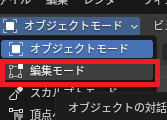
Select the vertices.
From the Mesh menu, select ‘Normal’ → ‘Align Face Orientation Outwards’.
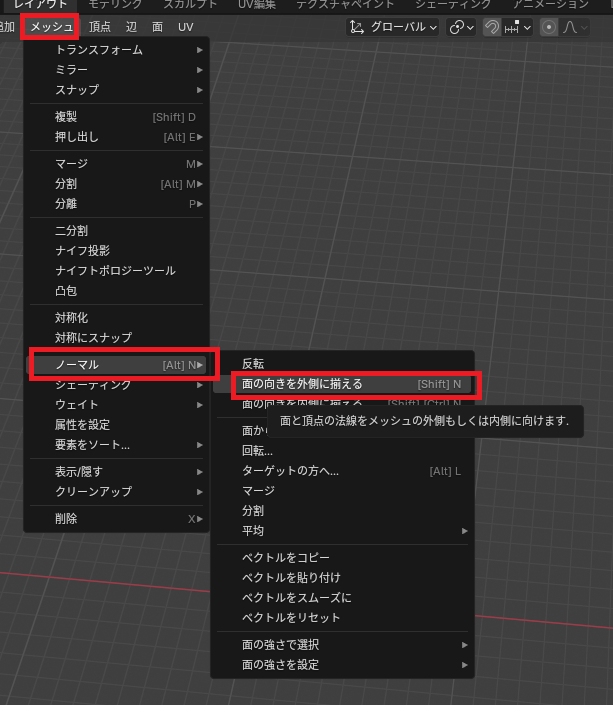
keep
In Blender, you save the created object in FBX format.
To save the file, go to File menu, select Export, and then select FBX.
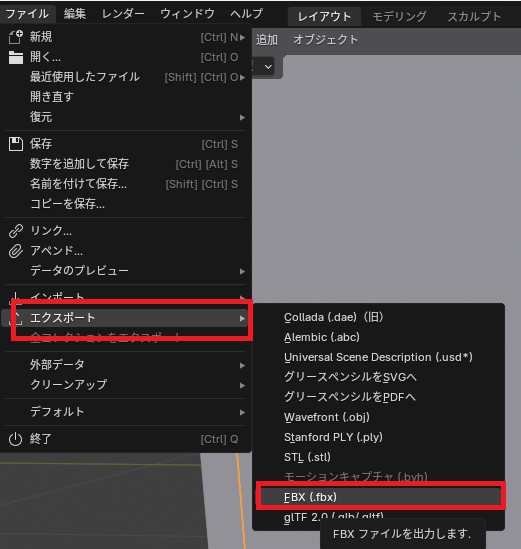
A save dialog box will appear, so choose a file name and save it.
The settings on the right can be left at their default values.
Unity
Loading
Drag and drop the saved FBX file into the Assets folder in the Project view of Unity.
If a thumbnail appears in the folder where you saved the project, then it was successful.
Add to Scene
You can add thumbnails added to a project to the Scene view by dragging and dropping them into the Scene view.
Notes
Physics simulation support
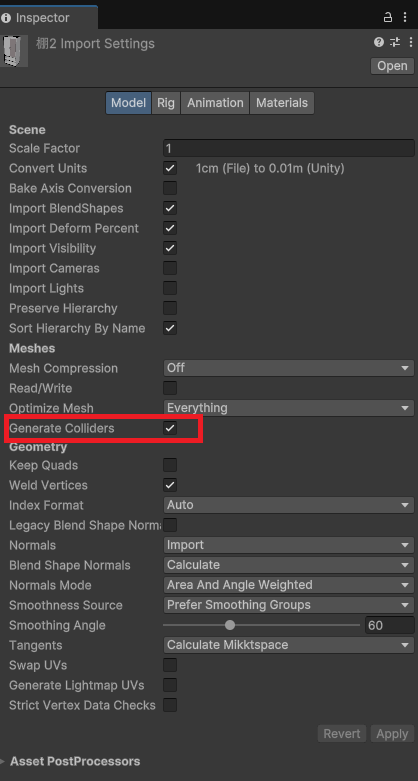
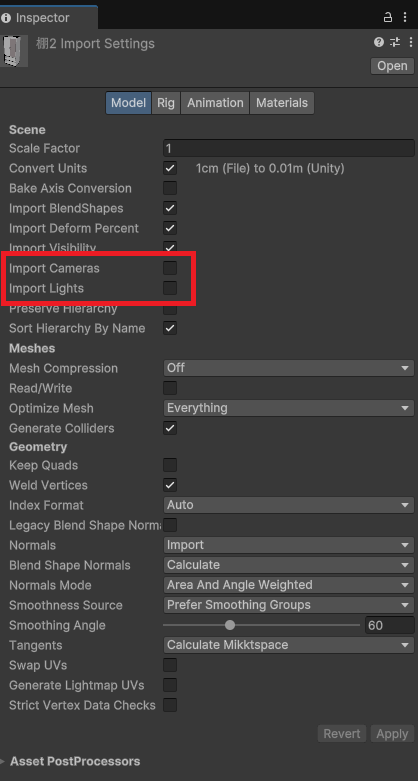
To enable physics simulation, select the imported FBX file in the Project view and check the ‘Generate Collider’ option displayed in the Inspector view.
Remove camera/light source
When exporting from Blender, the camera and light sources are included, so adding them to the Scene will change its appearance.
To avoid importing cameras/light sources, display the Inspector view and uncheck ‘Import Cameras’ and ‘Import Lights,’ just as you would for physics simulations.
Material conversion
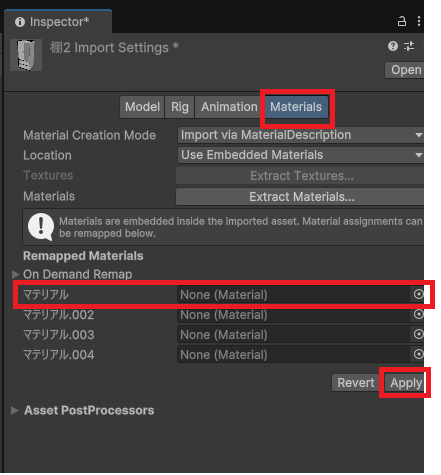
Unity and Blender can sometimes produce different appearances, so to unify the look (especially when using Toon shading in Unity), you can replace objects specified in Blender with materials prepared in Unity.
Just like with physics simulations, display the Inspector view, click Materials at the top, and drag and drop the corresponding material from the Project view into the list of materials that appears.
Result
I was able to display a 3D object created in Blender in Unity.

コメント