
Things I want to do
In the article below, we set up collision detection for complex shapes using images, but here we will use basic shapes (circle, rectangle, polygon) with matter without using images.

implementation
circle
The following implementation draws a black circle (0x000000) with a radius of 10 at (300, 30).
In the second line, we set the collision detection area to a circle with the same radius.
        const circle = this.add.circle(300, 30, 10 ,0x000000);
        this.matter.add.gameObject(circle, { shape: { type: 'circle', radius: 10 } });
rectangle
The following implementation draws a black rectangle (0x000000) with a width of 50 and a height of 20 at (100, 200).
The collision detection is set in the second line. (In this case, the rectangle and the collision detection area are the same size, so it is not necessary to set it explicitly.)
        const rect = this.add.rectangle(100,200,50,20,0x000000)
        this.matter.add.gameObject(rect/*, { shape: { type: 'rectangle', width: 50, height: 20} }*/);
polygon
The following implementation will draw the following polygon in black (0x000000) at (400, 300).
Polygons are defined using the `points` parameter to specify their coordinates.
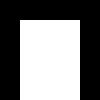
The last line sets the collision detection to a polygon created at the same coordinate points.
        const points = '0 0 ' +
        '100 0 ' +
        '100 100 ' +
        '80 100 ' +
        '80 20 ' +
        '20 20 ' +
        '20 100 ' +
        '0 100 ' +
        '0 0';
        const poly = this.add.polygon(400, 300, points, 0x000000);
this.matter.add.gameObject(poly, { shape: { type: 'fromVerts', verts: points, flagInternal: true } });Result
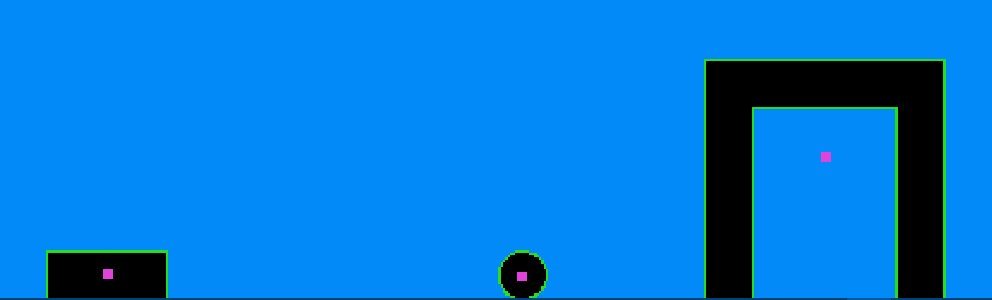
We were able to place shapes with collision detection as shown below. (The y-value has changed because Gravity is set.)
コメント