
Things I want to do
I created an extension that executes Javascript on specific pages using the following page.

This debugs the scripts executed in ‘content_scripts’.
Debugging methods
Just like debugging a regular page, open DevTools by pressing F12 or Ctrl+Shift+I.
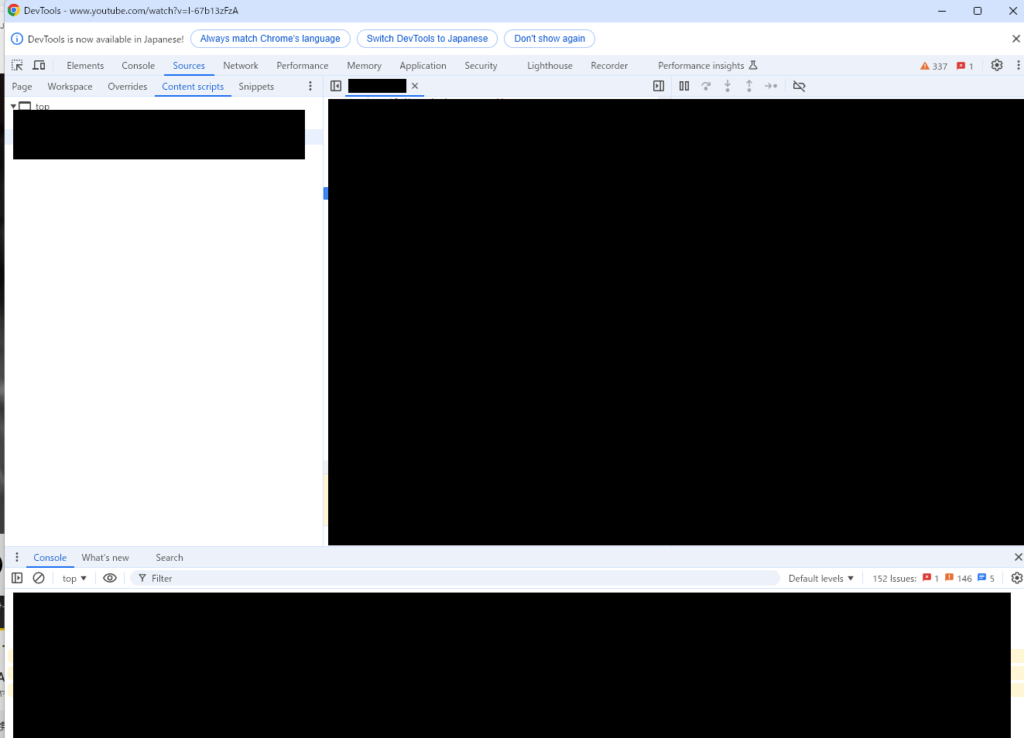
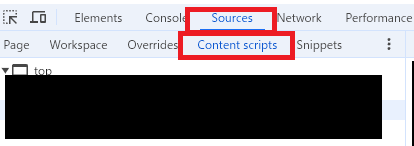
Select the ‘Sources’ tab at the top of the screen, then select the ‘Contents Scripts’ tab.
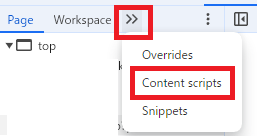
If the ‘Contens Scripts’ tab is not displayed, click >> and then click ‘Contens Scripts’.
The ‘Contents Scripts’ tab lists the JavaScript used by the extension.
The listed JavaScript can be displayed in the same way as the JavaScript used on the page, and you can set breakpoints to debug it.
All Edges
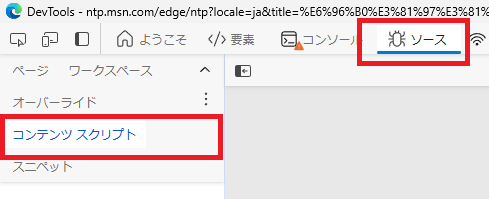
The same principle applies to Edge, although the GUI is different.
Result
I was able to create an extension that executes Javascript on a specific page using the following page.
コメント